

Hope you had a great weekend! On my end, I spent it with family… moochdocking in my Dad’s driveway with the RV.
If you’re not familiar with RVer jargon, moochdocking is when you camp in somebody’s driveway and mooch off their utilities. Free electric! 😜
Anyway, had a fun weekend seeing the family. And, pedal to the metal this week, since NEXT week I’m flying out to Phoenix for a WordPress event there in Tempe.
With all this talk about AI lately (and here in this newsletter), I wanted to bring it back home to WordPress and tie it all together.
Because, the upcoming release of WordPress 7 has a LOT to do with AI. It is setting the stage for a very different future for WordPress.
I also want to share some thoughts about using AI…. and your privacy.
So, grab your coffee. And let’s do this…
Featured This Week

The AI Hype Is Real… But So Is the Learning Curve
AI isn’t as easy as the YouTube hype makes it look. Here’s an honest, plain-English look at the real learning curve — and what’s actually working in my business right now.
In Case You Missed It…
- The AI Content Balancing Act (Issue #573)
- Blogging in the Age of AI: How Everything Has Changed (And Why I’m More Excited Than Ever)
- Top 8 Mistakes Way Too Many Blog Owners Make
- The #1 (Self-Created) Barrier To Entrepreneurship (And How To Solve It)
- Your Last Moat (And Why Site Features Don’t Matter So Much Anymore) (Issue #572)
- 8 Cold, Hard Facts About The Successful Online Entrepreneur
WordPress Is About to Get a Lot Smarter
In the last several issues, I’ve been on an AI theme lately. And that’s because it is something I have quite intentionally been “upping my game” with.
Most people who use AI and have a WordPress site end up using AI alongside WordPress. Copying outputs from ChatGPT into the editor, using plugins that call an API here or there, stitching things together with five different tools in between.
If you get a little deeper down the rabbit hole, then you learn what an MCP server is. And you might set up a connector with Claude to be able to query directly out of WordPress.
That’s the current state of things. It’s a little clunky. And it kinda leaves some of the nerdy stuff up to you to figure it out.
Once you do, it can be pretty amazing.
But, WordPress 7 is going to mark a pretty big shift.
And not just in a “hey there’s a new AI button” kind of way. More fundamentally than that.
What’s actually coming with WP 7.0
The headline features are real-time collaboration (finally 🎉) and a full-screen distraction-free writing mode. Those are nice. But the part that doesn’t get nearly enough attention is what’s happening underneath — and it’s actually been rolling out across the last two releases.
WordPress 6.9 shipped something called the Abilities API. You didn’t see it. Nothing changed in your dashboard. But it matters a lot.
Here’s the plain-language version: the Abilities API is essentially a central registry where WordPress (and any plugin or theme, really) can list out its capabilities in a format that’s machine-readable. Meaning not just developers can understand it, but AI agents and automation tools can too.
Think of it like this. Right now, if an AI tool wants to do something inside your WordPress site, it has to kind of guess its way around. It uses what is publicly known about WordPress to do that. Every plugin does things differently. There’s no shared language. It’s like giving someone directions to your house in five different languages and hoping they speak one of them.
The Abilities API changes that. It introduces a predictable, machine-readable way to expose what WordPress can do. WordPress core registers its abilities. Your plugins register theirs. And suddenly there’s a unified map of everything your site can do — including who’s allowed to do it.
WordPress 7.0 takes that further with a client-side version of the same API — a JavaScript counterpart that can handle things like navigating the editor or inserting blocks, which is fundamental for integrating with browser-based AI agents and tools like WebMCP.
None of this is visible to you as the site owner. But what it unlocks over time is significant…
A world where ChatGPT, Claude, or whatever AI tools you use can interact with your WordPress site in a natural, defined, safe way.
No third-party middleware tools needed.
And, plugins that adopt this standard will just… work with your AI tools. Natively.
What “native AI integration” actually means for a solopreneur
Right now, if you want AI to help you do something in WordPress — update a page, pull data from your site, trigger something in your email list based on activity on your site — you’re stitching that together yourself. Maybe with Zapier. Maybe with a plugin that sort of does what you need. Maybe with a lot of copy-pasting.
Native integration means that work goes away.
Imagine asking your AI assistant to:
- “draft a new landing page based on my top-performing post from last quarter, then publish it as a draft.”
- “check which of my courses has the lowest completion rate and write me a re-engagement email.”
- “update the FAQ on my membership page based on the questions I got in last month’s support tickets.”
That’s not science fiction. That’s where this is heading. And WordPress 7.0 marks the major shift in WordPress that will make this process seamless.
Operating WordPress, not managing it
What’s going on here is that WordPress is turning into more of an operating system for your website than just a piece of software.
For most of the history of WordPress, “running your WordPress site” meant doing things in WordPress. Logging in. Clicking around. Updating things one at a time. Managing the plugins one by one and manually.
That operational layer isn’t going away. Sites still need maintenance, updates still need judgment, and things still break in ways that require a human who knows what they’re looking at.
What AI changes is how efficiently that work gets done. AI will be enabled to remove the friction that usually goes into making that work happen.
What this means for you right now
Nothing yet. WordPress 7.0 isn’t going to flip a switch and suddenly automate your whole site. 😜 That’d be cool as hell, but it won’t work like that.
But, it is going to mark the beginning of this shift becoming way more common and accessible.
The solopreneurs who thrive in the next few years aren’t going to be the ones who mastered every WordPress setting. They’re going to be the ones who got good at directing — at knowing what outcome they want, and knowing how to work with AI to make it happen on their site.
That skill set is different from technical WordPress knowledge. It’s closer to project management. Or maybe editing. You know what you want the end result to look like. You review it. You approve it. You redirect when it’s off.
It’s gonna be cool. 😎
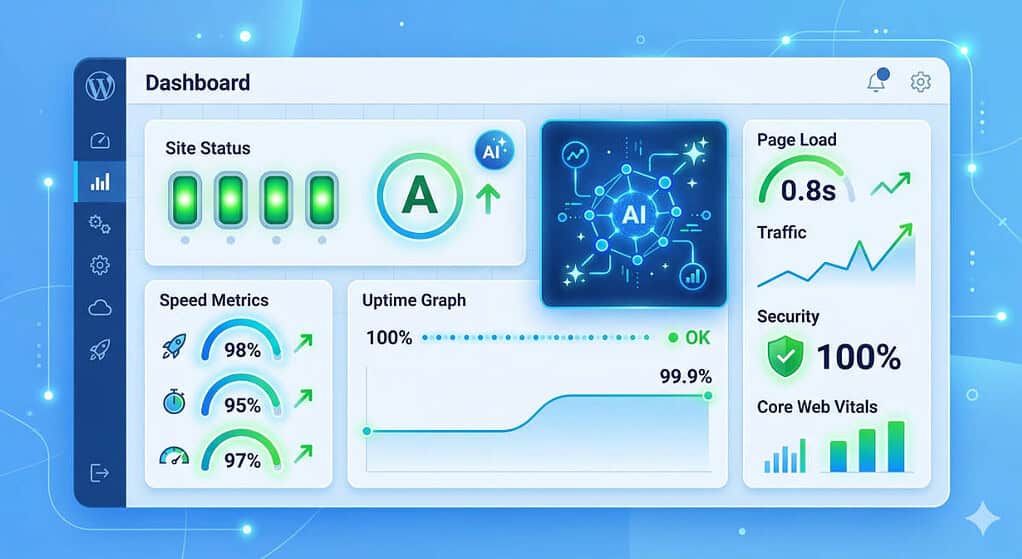
Your WordPress Site, Powered by Something Smarter
One of the things I’ve been investing heavily in this year is bringing AI into how I run Concierge. Not as a gimmick, but as a genuine upgrade to what I can do for clients and how fast I can do it.
In fact, I now have AI integrated into Concierge Cloud hosting in a way which enables MUCH faster and more granular insights into things. The advantages to clients hosted on Concierge Cloud are many.
What that looks like in practice: I can get into a client site and diagnose issues faster. I can surface performance insights that would have taken hours to find manually. I can identify what’s slowing a site down, what’s creating risk, and what’s quietly underperforming. And I can execute on things faster.
For you as a client, that means more intelligence applied to your site, more proactively, without you having to ask for it. Your site isn’t just being maintained — it’s being actively watched by someone with better tools than they had six months ago.
WordPress News & Updates
🔒 Smart Slider 3 Vulnerability — 800,000 Sites Need to Update A file-read vulnerability in Smart Slider 3 lets any logged-in subscriber-level user download sensitive server files — including wp-config.php with your database credentials. Patched in version 3.5.1.34. If you’re running it, update now. Full details on Bleeping Computer
WordPress.com AI Agents Can Now Write and Publish Content WordPress.com expanded its MCP integration to include write access — AI tools like Claude and ChatGPT can now draft posts, build pages, manage comments, and organize categories directly on your site through natural conversation. Every action requires your approval before it executes. Available on all paid WordPress.com plans. Full announcement on WordPress.com Obviously, these same capabilities are coming natively to self-hosted WordPress soon, too.
Elementor Launches Angie — AI That Builds Custom WordPress Functionality Elementor officially launched Angie, a free agentic AI plugin that lets you describe custom functionality in plain language and have it built and tested in a sandboxed environment before anything goes live. First capability is Angie Code — custom widgets, snippets, and admin functionality without writing any code. Introducing Angie on the Elementor blog
WP Rocket 3.21 — Rocket Insights Performance Hub Now Free for All Users WP Rocket’s built-in performance monitoring tool, Rocket Insights (powered by GTmetrix), was previously a paid add-on. Version 3.21 makes it fully included with every license. You can now track up to 10 pages, get optimization recommendations tied directly to WP Rocket settings, and run unlimited tests — all without leaving WordPress. What’s new in WP Rocket 3.21
WordPress Market Share Dips Below 43% — And the Culprit Is “None” WordPress dropped to 42.4% of the web for the first time since 2022. Shopify, Wix, and Squarespace each picked up 0.1%. But the most interesting number: the “no CMS” category climbed for the first time in a decade — developers building with AI aren’t always reaching for WordPress when they do it. Full story at The Repository
WPManageNinja Launching toSend — Affordable Email Delivery for WordPress The team behind FluentCRM and FluentForms will be launching toSend, their own transactional and marketing email sending service. Pricing will be $3 per 10,000 emails. It is built on top of Amazon, but significantly easier to use and built for easy setup with FluentSMTP. Currently open for private early access only, but will be open to the public fully soon.
Gutenberg 22.7 — New “Guidelines” Feature for Site-Wide Standards A new “Guidelines” experiment in Gutenberg 22.7 gives site owners a dedicated place to define editorial and content standards that apply across the whole site. Early days, but a useful concept for anyone managing a site with multiple contributors. Details at The Repository
WordPress Dashboard Sidebar Redesign Proposed Matt Mullenweg has floated restructuring the WordPress admin sidebar — separating core items from plugin menus, with frequently-used plugins potentially floating toward the top. Commenters pushed back on the “recently used” approach, suggesting user-customizable navigation built into core would be better. Discussion on Make WordPress Core
A Client Had a Privacy Concern About AI. Here’s What I Told Her…
One of my Concierge clients expressed a concern to me last week. And I thought it was worth addressing openly as well.
She’d noticed I’ve been talking more about AI — using it in my workflow, building systems with it, leaning on it more heavily across the business. And she had a reasonable concern: if I’m using AI tools to help manage her WordPress site, does that mean her information is being fed into some AI model somewhere?
Fair question. So, let me share my thoughts on this… and what I told her.
The concern most people have is this: is my data being used to train the AI?
The answer depends entirely on which tools you’re using and how you’re using them.
Free tiers of many AI tools have historically used conversations to improve their models. That’s part of the trade-off when you’re not paying.
Once you start paying for your AI tools, things change. But, you also need to know the details of how your particular tool works.
With ChatGPT, paid plans will still share data to help train their models, but you have the ability to opt out of it. Of course, you have to remember to do that in your account settings.
With Claude, they too have an opt-in mechanism for this. Very easy to opt out.
Enterprise tiers take that even further — with contractual data protections, no training on your data, and often additional compliance guarantees.
Most of my own personal work is done using Claude – and I pay for a Claude Max subscription. I have all privacy settings set to NOT use any data to help train their AI.
And when I’m using Claude Code — which is the AI tool I’ve been building a lot of my systems with — it’s actually running on my Mac locally. The commands execute on my machine, not on Anthropic’s servers. All of the memory files are stored right on my own machine. That’s how both Claude Cowork and Code work.
When it comes to using Google tools and their Gemini AI, I also use Google Workspace. This is the paid enterprise side of Google, which means they follow enterprise data security standards.
Being a CUSTOMER of these tools changes everything, really. That and simply using it smartly and with your eyes wide open.
AI tools are not a monolith. There’s a big difference between pasting sensitive client information into a free chatbot and using a paid, enterprise-tier tool deliberately and carefully. In my work, I never – EVER – paste passwords or logins into a Claude chat. All connections to my servers are done using SSH encryption directly from my Mac to my servers.
A few principles that are worth keeping in mind:
- Don’t paste sensitive information into any AI tool you wouldn’t trust with that information in another context. Treat it the same way you’d treat sending it to any third party.
- Know your tier. If you’re on a free plan, read the terms. If you’re running a real business, the paid tier is worth it — both for capability and for the data handling policies that come with it. And always check your privacy settings for data sharing.
- Be intentional about context. You don’t have to give AI everything to get useful output. Describe the problem. Anonymize where it makes sense. The tool doesn’t need the full picture to help you with the specific task.
- Learn how AI memory files work, using markdown files. When you store those markdown files locally, it means you own and control all of that memory. You’re not putting it all for “safe keeping” onto remote AI servers.
My long-time readers know my inclination toward digital sovereignty. Nothing has changed with my views on that. However, some have confused my principles of digital sovereignty with an almost irrational need to avoid all “big tech” companies.
“Big tech” itself isn’t the issue. It is HOW you use them. Blind trust isn’t smart… and that’s what most people do. They use a free Google account and just blindly trust Google. But, using a paid Google account changes the nature of the relationship. And you better believe I have everything backed up locally so as not to be reliant on Google exclusively. 😎
It is the same with AI tools. Pay for them to set the tone of the relationship. Mind your privacy settings. And be aware of your setup.

Here’s how I help people every day…

Make everything about managing your site simpler… by having me on your team to help make sure everything goes smoothly. By providing the very best tools, the best hosting and maintaining everything for you… I’ll take care of the mechanics so you can just focus on growth.
Did you like this issue? Consider sharing the opt-in page on social media to help it grow.
And feel free to forward it on to somebody you think will benefit from it.
The WP Edge is the official weekly newsletter of the Blog Marketing Academy.
