

Ever feel like your website is doing a great job collecting messages… and then dumping all the real work back on you?
That’s the theme this week.
We’re talking about the idea of an “AI receptionist”. A contact form with a brain. Kinda.
Plus, we’ll talk about the “big picture” on actually building this. For me, it is a work in progress, so I expect to be able to share more specifics later. But, amazing what can be done these days.
The bigger point: your WordPress site shouldn’t just look like a business… it should run parts of the business.
AI is working it’s way into everything here these days. So, might as well enjoy the ride. 😜
Alright, let’s light this candle…
Have a great week!
Featured This Week
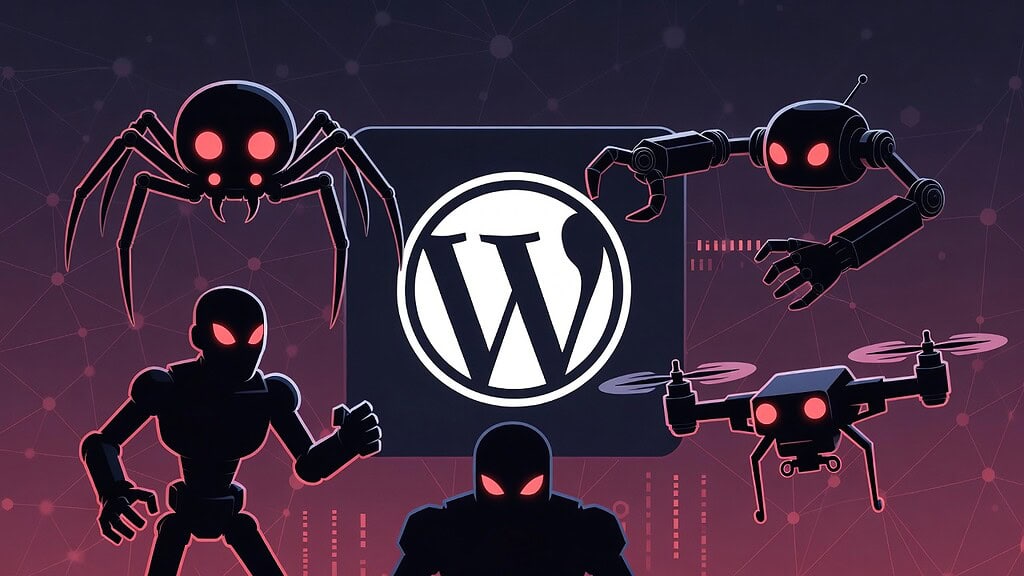
How I Protect WordPress Sites Against Bots (Using Free Tools)
Bots constantly probe WordPress sites for spam, abuse, and vulnerabilities. In this post, I break down a practical, layered approach to blocking them effectively… including how to stop most bot traffic before it ever reaches WordPress.
In Case You Missed It…
- WordPress Bot Protection with Cloudflare: My Exact WAF Rules (Copy/Paste) (ONEPass)
- The Shift That Makes Automation (and AI) Actually Work (Issue #567)
- Train Your AI Like A Team Member (Issue #566)
- How To Survive Solopreneurship (Issue #565)
- Ship Quickly. Break Things. (Issue #564)
- The Online Course Model Is Broken (Issue #563)
An AI Secretary for Your Website
Most every website out there has a contact form. But, what if you could give that thing real horsepower to do real work for your business?
Here’s a concept I’ve been noodling…
Most companies have some kind of… receptionist. Somebody who sits out at the front desk and greets you and asks how they can help you.
What the person who just walked in the door SAYS could be almost anything. But, it is up to the receptionist to listen, to understand, and then route that person to the next available person within the company that can help them.
If it is a billing concern, it would go to accounting.
If they’re ready to buy something, they would go to registration.
If they’re a roaming salesman, they would be told to pound sand. 😜 You get the idea.
That receptionist would be a human being with judgement. That receptionist knows the structure of the organization, knows the roles and how things are routed around. And their job is to take that incoming communication, evaluate it, then route it.
That’s all “big company” stuff. But, what about those of us who operate as solopreneuers?
Solopreneurs have a receptionist too
What if we’re working exclusively online? We don’t really have a receptionist. Do we?
Well, in the last few issues of this newsletter, I’ve been talking about the importance of working out the various roles in your business. Even if you’re the one doing every single role, those roles still exist as separate jobs.
Reception – or being the secretary – is a role.
You probably do it every morning. Or constantly throughout the day. Every time you check your email and sort things. You’re wearing that “hat” of being your own receptionist.
And what about the incoming? The “front door” of your business, so to speak?
Well, we often have tons of them, actually. You probably have a main contact form on your website. But, then you likely also have a bunch of other forms sprinkled all over the place. Then, you’ve got people who email you directly. So, you’ve got stuff coming from all kinds of places.
And you may be routing it all into your email inbox. Or maybe you’ve got a support desk. Or both.
What if your contact form had a brain?
What if you could have your own receptionist?
One that obeys your rules precisely. Never sleeps. Is on 24/7. And routes incoming communications exactly how and where you want them to go, based on what’s being said?
This can be done by building an AI agent that serves as your secretary.
And this AI agent would take incoming requests via your contact form (or forms, if you happen to have many), analyze the content, and then do what you’ve told it to do. It can even trigger actions automatically based on the nature of the message.
Think about it…
These AI tools are based around large language models (or LLMs). Analyzing LANGUAGE is what they do. It is why we can chat with these things.
So, analyzing incoming messages is right there in the natural skillset of any AI tool today.
So, maybe you could simplify your website’s form setup. Move things into one form. And have your AI agent scan incoming messages. It will actually read the message, evaluate what the person is asking for, can even understand the TONE of the message. And then route it based on your rules.
These aren’t simple if/then rules. This is not something stupid like “if the subject line contains the word billing, then do this”.
It’s the agent actually reading the message, understanding what the person is asking, even picking up the tone, then routing it appropriately.
We’re not forcing the end user to figure out the right place on your website to make the right kind of request. We’re not having them route themselves. They can just type a message normally.
If it is a student/member question, you can route the message to an email address specific to that. Or even route them to a knowledgebase first (or have AI answer them by email with the answer).
If you’re a service business and the contact form just got a request for a quote or asking how much something might cost, you could have your AI agent instantly route that message to the right place, maybe even also ping you on Slack or send you a text message so that you can respond to that person while they’re hot.
If, in my case, it is a client asking me to do something on their website, I could send them an auto-reply, automatically add the item to the task list, maybe even add to Basecamp.
If it is a sales email or a request for a guest post, you have your AI agent just delete it and you never even waste your time. The equivalent of the trash can. 😜
All this from one form.
Instead of a dumb form which just takes incoming and spits it off to whatever email address you entered into the form settings…
… you’ve built a form with actual AI-powered logic behind it. And it can actually do real WORK for you. Not just pack your inbox.
WordPress News & Updates
Kinda crazy how much AI is working it’s way into everything. And this last week was no different…
- SEOPress 9.5 Released SEOPress 9.5 introduces expanded AI integrations (including Gemini, Mistral, and Claude), support for the emerging llms.txt standard, new ProfilePage schema for author archives, and deprecation of the old Elementor integration in favor of the universal SEO metabox. 👉 Read the full SEOPress 9.5 announcement
- WooCommerce 10.5 – Analytics & Admin Performance Improvements WooCommerce 10.5 focuses on improving analytics performance and admin-side refinements. No real big flashy feature drops, just more refinement and trying to make Woo faster. 👉 View the official WooCommerce 10.5 release notes
- WordPress 7.0 Developer Preview – What’s New (February 2026) The February “What’s New for Developers” post highlights features landing in WordPress 7.0 Beta 1, offering a clear look at what’s stabilizing before the release candidate phase. 👉 See what’s coming in WordPress 7.0
- DesignSetGo 2.0 – Major Expansion Justin Nealey released DesignSetGo 2.0, adding 3 new blocks, 150+ patterns, 12 homepage templates, shape dividers, SVG backgrounds, mobile grid reordering, and performance optimizations. A sizable update in the block design ecosystem. 👉 Explore the DesignSetGo 2.0 release
- Cloudflare Introduces Markdown For Agents. AI crawlers are increasingly a big part of how the open internet interacts with our website. And markdown is a HUGE part of how AI reads things. Cloudflare is launching a new system for real-time content conversion to Markdown, enabling AI to digest the content on websites MUCH more efficiently than having to wade through all the raw HTML output. 👉 Read about this over at Clouflare.
- Call for Testing – New AI Experiments in Core The WordPress AI team issued a call for testing around new AI experiments and integrations. If WordPress is moving toward AI-forward core features, this is where the experimentation is happening. 👉 Review the call for AI testing
- Google Caps How Much Of Your Page It’ll Crawl. We’ve always known that simpler webpages make for better SEO simply due to better performance. But, now it is even more clear… since it is now official that Googlebot will only crawl the first 2MB of your HTML. Frankly, 2MB is already rather ridiculous, but I’ve seen worse. And that means those big bloated pages won’t even get indexed properly anymore. 👉 Check out how Googlebot works here.
- WP-Pinch Enabled OpenClaw Integration With WordPress. You might have seen the hype around OpenClaw (formerly Clawdbot). Videos galore about it. Even web hosts like xCloud and Hostinger offering one-click install. Anyway, a new plugin called WP-Pinch apparently now enables OpenClaw to work directly with your WordPress site. Interesting, but use with caution. Check it out.
How to Build the “AI Receptionist” Contact Form
The concept is simple: keep your website’s contact setup clean on the front end, then add intelligence on the back end. Instead of five different forms (support, sales, billing, partnerships, etc.), you use one good “front door” form and let an AI layer read the message and route it to the right place.
To pull this off, you only need three parts: a form tool, an automation “router,” and an AI step. For the form, something like Fluent Forms is perfect because it’s flexible and can send submissions out via webhook/integration. The router is your automation layer—Ottokit is a natural fit, but Make/Zapier-style tools work too. The AI step can live inside the router (if it supports LLM calls) or inside a dedicated agent builder like MindStudio.
The key is this: don’t ask the AI to “handle” the message in a vague way. Ask it to return a simple routing decision that your automation can act on. You’re building a receptionist who fills out a routing slip, not one who writes a paragraph.
Here’s the basic idea of the prompt (in plain English): “You’re my receptionist. Read this message. Decide what bucket it belongs in, how urgent it is, and what to do next. Then return that in a predictable format.” Your buckets might be as simple as Support, Sales, Billing, Partnerships, and Spam. Your “next step” might be things like “send to support inbox,” “notify me in Slack,” “create a ticket,” or “archive.”
Obviously, that’s all “big picture”. The actual mechanics of it and the full AI prompt to build your router would be more involved than that.
Once you do that, the automation becomes straightforward. Create one clean form with name, email, and message. Configure it to send each submission to your router. The router forwards the message to the AI step. The AI responds with the bucket + urgency + next step. Then the router executes the action.
Support messages can go to a helpdesk or a dedicated support inbox. Sales messages can go to your inbox plus a Slack ping so you can respond quickly. Billing issues can go to a billing inbox. Partner pitches can go to a “later” label. And obvious junk can be tagged and archived so it doesn’t steal attention.
It is your receptionist, so you make the rules.
Two guardrails matter if you want this to feel trustworthy. First, keep a human override. Even if the AI gets it right most of the time, you want each routed message to include the original text and the AI’s classification so you can quickly re-route if needed. Second, be cautious with auto-replies early on. A basic “Thanks—got it” confirmation is fine, but don’t let the AI freestyle policy statements or make promises until you’ve tested it. A safe middle ground is to have the AI choose from a couple pre-approved reply snippets or links rather than generating brand-new policy language.
If you want the easiest “version 1,” don’t build the whole dream system on day one. Start with: one form → AI categorizes → forward to the right inbox. Run that for a week. Once you trust the routing, then add the fun stuff like ticket creation, CRM tags, Basecamp tasks, and knowledgebase responses.
That’s the whole play: one front door on your site, and a smart receptionist behind it doing the sorting you’re currently doing manually.
I’m going to be working on this myself – and I’d be happy to share more details as I do it. But, the tools I’ll be looking at here are Fluent Forms, Ottokit (which happens to have AI and tool integration all built into one platform), and potentially MindStudio. Zapier has really grown up, too, and they have some really powerful AI agents built in now as well.
Going to be interesting. 😎

Here’s how I help people every day…

Make everything about managing your site simpler… by having me on your team to help make sure everything goes smoothly. By providing the very best tools, the best hosting and maintaining everything for you… I’ll take care of the mechanics so you can just focus on growth.
Did you like this issue? Consider sharing the opt-in page on social media to help it grow.
And feel free to forward it on to somebody you think will benefit from it.
The WP Edge is the official weekly newsletter of the Blog Marketing Academy.
