

Good morning from snowy Florida. 🤪
OK, just kidding. Kinda. Actually, a few parts of Florida actually DID get some snow (not much, tho)…. and there were some social media reports of little snow flurries right here around Tampa Bay. Funny to watch the locals get so excited about it, though. People up north must just giggle at us. 🤣
Either way, this weekend was super cold by our standards. Howling winds combined with arctic cold had Florida seeing single-digit temps. As you can imagine, that’s weird. My yard is going to look brown for a little while.
This week, we’re diving into AI usage. And specifically, how to think about “training” your AI so that it is actually useful. This is definitely worth spending time on because it is increasingly becoming a MAJOR point of leverage.
My own increasing systemization with AI tools has also led me back into the welcoming arms of Google. I’ll tell you more about that, too.
So, let’s get jiggly with it, shall we?…
Featured This Week
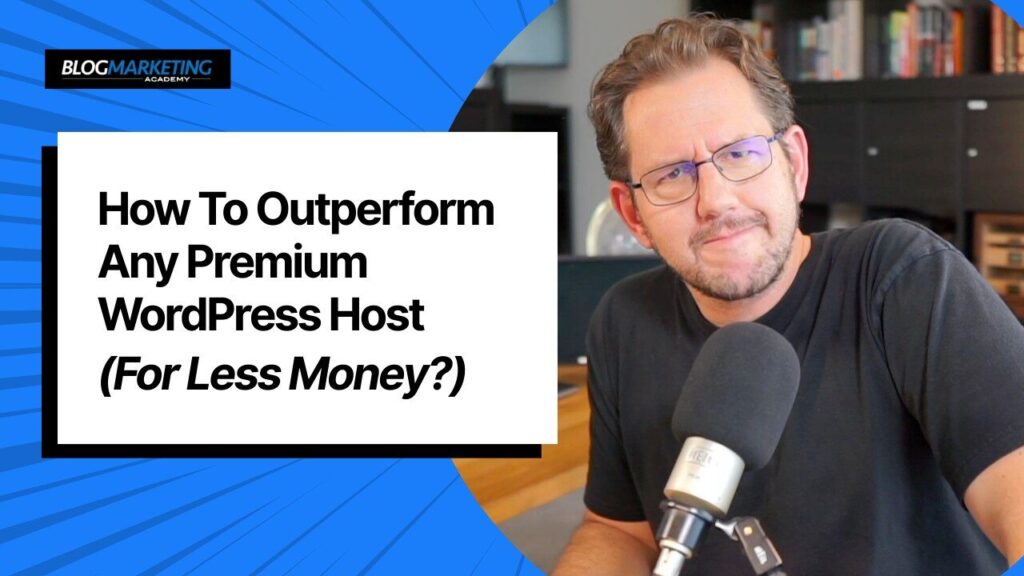
How To OutPerform Any Premium WordPress Host (For Less Money)
Stop overpaying for WordPress hosting! In this video, I reveal how you can outperform premium managed WordPress hosts like Kinsta, WP Engine, and Rocket.net while paying significantly less—often 50-70% less per month.
In Case You Missed It…
- How To Survive Solopreneurship (Issue #565)
- Ship Quickly. Break Things. (Issue #564)
- The Online Course Model Is Broken (Issue #563)
- Up Your Game With AI (Issue #562)
- The Final Issue (of the year) (Issue #561)
- How To OutPerform Any Premium WordPress Host (For Less Money)
Train Your AI Like You’d Train a Team Member
Most people treat AI like a magic 8-ball. They toss it vague questions and hope for an aha moment.
“Write me a business plan.”
“What should I post on social media?”
“Fix my onboarding funnel.”
It’s like yelling into the void and expecting strategy to echo back. Too many people acting as if AI can actually CREATE and think things up out of thin air. And, it just can’t.
But here’s the truth: AI is only as smart as the structure you give it.
Last week, I tried something different. I uploaded my company organizing board to ChatGPT and walked it through the flow of my business – division by division. I defined internal terms, clarified responsibilities, and laid out how things connect behind the scenes.
It wasn’t even a fully updated and complete organizing board, but it was enough. I uploaded it to ChatGPT as a PDF. It quickly read what I had so far and gave me a nice summary, confirming it got the gist.
Then I started asking questions. My goal at first was actually to button up the org board itself, to ensure things were tidied up, updated. And that it was all fully reflective of my business as it runs today.
And that’s when things got good.
We started building out systems – refining processes, plugging holes, and even clarifying team roles I’d been avoiding. But it wasn’t because the AI suddenly got smarter. It’s because I gave it rails to run on.
AI Without Structure = Fluff
When you ask AI to help you “grow your business”, you’ll get vague, surface-level ideas. Stuff that sounds smart but doesn’t actually move the needle. In fact, often, you find AI just tries to float your ego and tell you how right you are. 🤪 It’s not because AI doesn’t know better… it’s because you didn’t give it enough to work with.
Imagine hiring a new assistant and asking them to “run your business”. No training, no SOPs, no context. That wouldn’t go well, right? Heck, I know full well how that goes, because I admit I’ve basically done exactly that a few times with actual virtual assistants in the past. My experience with hiring hasn’t been the best…. and it was mainly because of ME. I didn’t have things systematized to a point where somebody else could actually occupy those roles.
Same thing here. AI will just follow orders, for the most part. But, you have to provide that structure. Otherwise, just like a newly hired human will do, it will just kiss the boss’s butt and float your ego while trying to sound smart. 🤣
AI With Structure = Leverage
When you train your AI assistant – just like you’d onboard a team member – you give it the power to think like you. To follow your philosophy. To build within your unique business model.
Start with your org chart. Your value ladder. Your audience personas. Your offers. Your terminology. Your current processes.
Don’t have those things? Time to create it. Time for your business to grow up. But, you know what? The process of doing it won’t just be a useless exercise because you’re a solopreneur and you’re doing all of it by yourself anyway. Even if you’re flying solo, you want to start systematizing your business as if it is bigger than it is.
Because AI can be your business consultant. It can play like a team member. But, it needs to be trained just like a human being.
Give it the puzzle pieces you’re already using to run your business.
Suddenly, it becomes a strategic partner… not just a clever chatbot.
Bonus Side Effect: You Systematize Your Business
This is the double win. When you go through the process of explaining your business to AI, you’re actually clarifying it for yourself too. Gaps get exposed. Inconsistencies pop out. Half-built systems become visible.
I am now in the process of systematizing my business, documenting roles, creating checklists. Things I should have completed a long time ago, frankly, but had only done so in spurts. It was an incomplete mess of forgotten intentions. 😇 But, now, with my trusty AI sidekick, we’re moving through things pretty quick.
It forces you to define what you do, how you do it, and where the friction lives. And once it’s defined, you can delegate, automate, or optimize it – whether by human or AI.
Concierge Weekly Update
In this week’s client update, a bit more about the transition to Independent Analytics – as well as some training I’ll likely create for clients based around this tool.
Also, a potential change to how tasks will be managed as I organize and streamline my business. Perhaps moving tasks out of Basecamp? We shall see. 😇
WordPress News & Updates
- The WordPress 7.0 Roadmap: Mary Hubbard’s 2026 “Momentum” plan is officially in motion. We’re looking at a 7.0 release in April that brings real-time co-editing to the block editor. But the bigger story is the push for an “agentic web” infrastructure. This isn’t just tech-talk; it’s about ensuring WordPress sites can actually talk to AI agents effectively. If we don’t own that bridge, we’re handing the keys to closed ecosystems like Shopify. Source: WordPress.org
- WP 6.9.1 on February 3: The maintenance release lands tomorrow (Feb 3rd) to clean up 23 core bugs and 25 block editor issues left behind by 6.9. If you’ve been dealing with weird email failures or navigation loops lately, this patch is your fix. Should be a pretty uneventful upgrade. Source: Core Blog
- Etch 1.0 is Finally Here: After plenty of anticipation, the Etch page builder is production-ready. It’s built on Svelte 5 and syncs natively with the block editor, which is a breath of fresh air compared to the bloated “div-soup” we usually see in visual builders. Etch is powerful, but will feel rather nerdy if you’re not clued in on the innards of how websites are put together. Kevin Geary is a but of a stickler for that. 😇 Source: Etch.com
- A Better Way to Manage Your Backend: Admin Columns 7 just dropped, and the new Global Conditional Formatting is a massive win for anyone managing high-volume sites. You can now set rules to highlight specific rows—like flagging overdue invoices in red—across the entire team’s view. It’s a simple change that clears a ton of mental fog when you’re staring at a massive list of users or orders. Really looks like Admin Columns is upping their game. Source: AdminColumns.com
- FluentForms 6.1.15: The “Concierge Toolkit” favorite just got a little smarter with Global Default Styles. Now, every new form you create automatically inherits your brand’s aesthetic. It’s a small detail, but it’s one less manual step to worry about every time you need to spin up a quick lead-gen form. Source: FluentForms.com
- Selling with “Ghost Products” in FluentCart: The 1.3.9 update introduces programmatic selling for items that don’t live in your public catalog. This is exactly what you need for one-off service upsells or dynamic pricing models that don’t fit into a standard “Shop” page. It’s about more flexibility and less clutter. Source: FluentCart.com
- PerfMatters v2.5.6 Optimization: Another surgical update from the PerfMatters team that manages to strip out 18% of the HTML code per image via better lazy loading. In a world where every millisecond counts toward your Core Web Vitals, this is the kind of optimization that keeps your site lean without breaking anything. Source: PerfMatters.io
- WP Social Ninja 4.1: This is a significant “social proof” update for anyone displaying reviews or feeds. They’ve added a dedicated reviews dashboard (perfect for managing Fluent Forms testimonials) and better SEO schema for aggregate ratings. If you’re using reviews to drive conversions, these rich snippets are vital for standing out in search results. Source: WPSocialNinja.com
Why I Decided To Switch Back To Google
One of my core philosophies is digital sovereignty. To own and control my own business platform and my data – and not blindly feed the “big tech” machine. This philosophy shapes my approach to a lot of things, including how I help manage sites in Concierge.
So, to report that I just recently switched my email, my calendar, and some files back to Google may come as a surprise. 🤯
I was using FastMail. And I LOVE Fastmail. I really do. Sovereignty is one of their principles as well. Data privacy is a key part of how they operate. The thing is…
That focus on privacy is why FastMail is not likely to ever have any AI integration whatsoever.
Not only that…
If you go to set up any automations for almost anything related to your email or calendar, using any automation plugin or a tool like Ottokit, there are rarely integrations with FastMail. A privacy-focused email provider just operates differently – by design.
So, I decided to switch back to Google. Specifically to the PAID version – Google Workspace. I now have the full Gmail interface, but for my own domain email. I use Google Calendar. Google Drive. A few others.
I mean, you gotta admit…. Google makes some great apps. And Google Workspace takes security seriously. Data is not being used to train AI models, because I’m now a CUSTOMER who pays for services, instead of just using the free Google account where you are the product.
And now that I’m back on Google services, I now have much simpler access to integrations. Pretty much EVERYTHING can integrate with Google! I can connect my AI tools to my Google account. I can use Gemini, which is Google’s AI baked right into the service. And the connections coupled with AI agents mean I can actually have AI DO some things inside my account.
Integrations are tighter. Tools are more compatible. GPTs can interact with your Google Drive, summarize meetings from Google Calendar, draft emails in Gmail. Automations on platforms like Zapier, Ottokit, and even native features in AI assistants like ChatGPT and Gemini are simply more robust when you’re in Google’s ecosystem.
Quite a bit more useful, given the quickly changing nature of the landscape these days.
When I was using Fastmail, none of this was an option. Privacy? Yes. Control? Absolutely. But connectivity? Not so much.
I moved back to Google in order to increase my leverage. And my speed of execution. As you can see in the article above, giving AI access to certain DATA is how it gets smarter and more useful. FastMail was a black hole… and likely will remain that way due to the core philosophy.
Now, I definitely didn’t just relent here and sacrifice my digital sovereignty requirements. So that I am never fully dependent on Google, I have a backup task that I set up on my Synology NAS here in the office that does full real-time backups of my Google account. Email, Drive, Calendar, etc. So, if something were to happen to my Google account, I still have every single thing – right here in my own home office.
Gotta keep eyes wide open. No blind trust here. 😎

Here’s how I help people every day…

Make everything about managing your site simpler… by having me on your team to help make sure everything goes smoothly. By providing the very best tools, the best hosting and maintaining everything for you… I’ll take care of the mechanics so you can just focus on growth.
Did you like this issue? Consider sharing the opt-in page on social media to help it grow.
And feel free to forward it on to somebody you think will benefit from it.
The WP Edge is the official weekly newsletter of the Blog Marketing Academy.
