
Independent Analytics Review: A Better Way to Own Your Website Analytics
I explain why I moved away from Google Analytics and other hosted tools in favor of Independent Analytics – and why data ownership, portability, and WordPress-native reporting ultimately matters more than “free”.
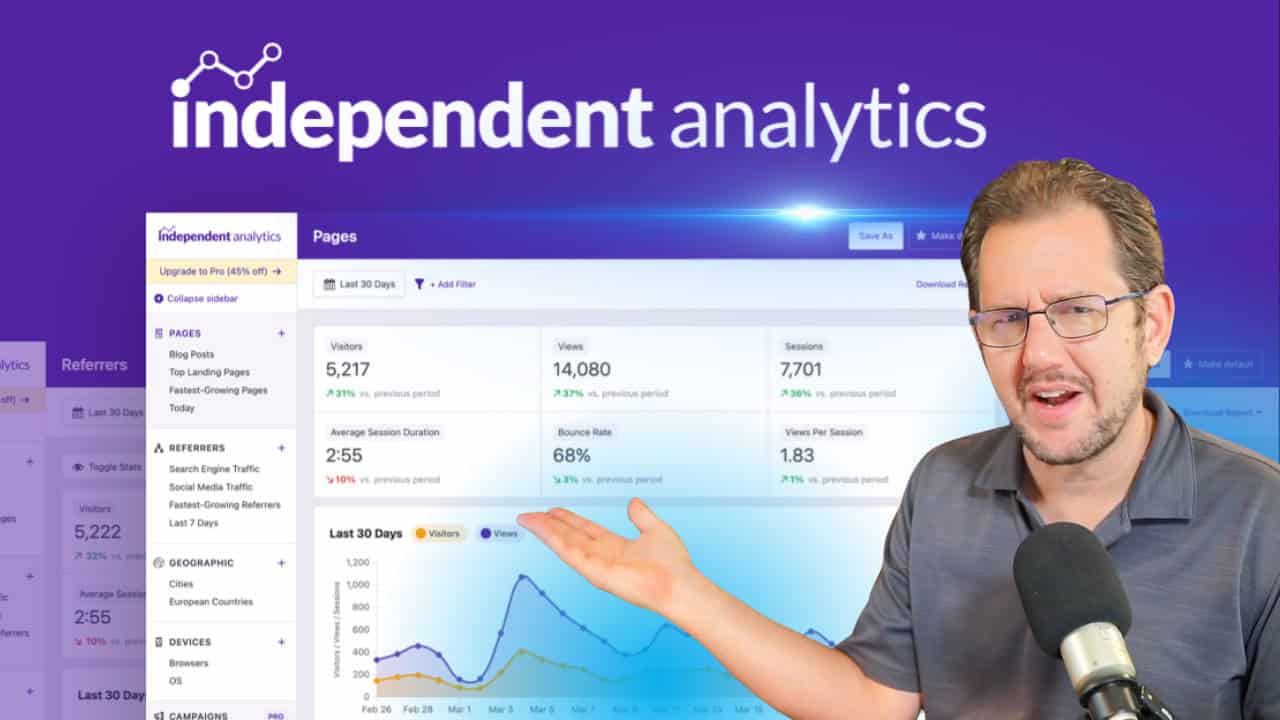
Like a lot of people reading this, I used to rely on Google Analytics.
It’s the default choice for many site owners when it comes to website stats—mostly because it’s free. But Google Analytics also comes with some serious downsides: it’s heavy on performance, notoriously difficult to use, and it turns your website into just another data point in Google’s massive data-mining operation.
I mean… why do you think Google offers such a powerful tool for free? 😜
As I started taking digital sovereignty more seriously, Google Analytics no longer aligned with my values. So I switched to Fathom Analytics.
Fathom is still a great tool. It’s simple, privacy-focused, and refreshingly honest about its business model. But it’s also a remotely hosted analytics platform… and that comes with its own tradeoffs.
Around the same time, I began testing AnalyticsWP. I really like how streamlined it is, and there are clear advantages to having core web stats stored directly inside WordPress itself.
Then a newsletter subscriber reached out to make sure I’d looked at Independent Analytics.

I knew it existed… but I hadn’t taken the time to truly evaluate it.
Once I did, the decision was clear.
It was time to switch.
In this article, I want to explain why I’m moving my own sites to Independent Analytics – and why I’m also making it my go-to analytics solution for Concierge clients.
The Importance of Data Portability
One of my core principles is digital sovereignty.
That means not being dependent on big tech platforms – and not storing critical business data exclusively with companies that don’t actually care about you.
Google violates this principle on every level.
Google Analytics exists to extract as much data as possible from your website so it can fuel Google’s advertising and AI systems. Your analytics data is not truly yours, and it’s certainly not portable in any meaningful way.
If you want real digital sovereignty, your business data cannot be 100% dependent on a third party.
Why Fathom Was Better—But Still Not Perfect
When I moved to Fathom Analytics, what I respected most was the relationship. I was the customer… not the product. They weren’t mining the data or repurposing it for anything else.
Fathom is also dramatically simpler than Google Analytics. And simplicity matters. That’s one of my core principles. too.
That said, even with Fathom, your data isn’t fully portable.
Yes…. you can export everything as CSV files. But if you ever discontinue the service, you lose the reports, dashboards, and visualizations that actually make that data usable. You’re left with raw data, but not the tools that turn it into insight.
Why WordPress-Based Analytics Changes Everything
This is where WordPress-native analytics really shine.
When I evaluated AnalyticsWP – and later Independent Analytics – I revisited the idea of tracking analytics inside WordPress itself.
With a WordPress plugin:
- Your data lives with your site
- When the site moves, the data moves
- Reports, dashboards, and historical stats stay intact
- You’re not dependent on any third party service
Independent Analytics takes this idea all the way.
All tracking, data storage, and reporting happen in-house, inside your own WordPress installation. No external services. No remote dashboards. No third-party dependencies.
It is true digital sovereignty.
Your data is fully yours. You can take it anywhere. And nobody sees it except you.
It Tracks What You Wanna Track (Without Noise)

Want this setup on your own site?
Independent Analytics is included in my Concierge Toolkit, along with the same plugins and tools I use across my own business and client sites. The goal of the Toolkit is simple: remove guesswork and give you a battle-tested stack that just works—without bloated plugins or unnecessary complexity. Check it out.
Google Analytics tracks everything … but that’s also the problem.
It’s so over-engineered and complex that most people don’t really understand what they’re looking at. And if you can’t make sense of the data, then it doesn’t matter how much of it you collect.
When I moved to Fathom Analytics and tested AnalyticsWP, the experience flipped entirely. Both tools are refreshingly simple.
But simplicity can sometimes go too far.
Where Other Tools Fall Short
- Fathom Analytics gives you a clean, single-screen overview: page views, uniques, time on site, referrers, top pages, device types, browsers, countries, and events. It’s elegant, but also limited.
- AnalyticsWP focuses heavily on the basics. It does conversions and user journeys very well – especially with native WooCommerce integration – but it doesn’t track things like device type or geographic detail.
What Independent Analytics Gets Right
Independent Analytics fills in the gaps without becoming overwhelming.
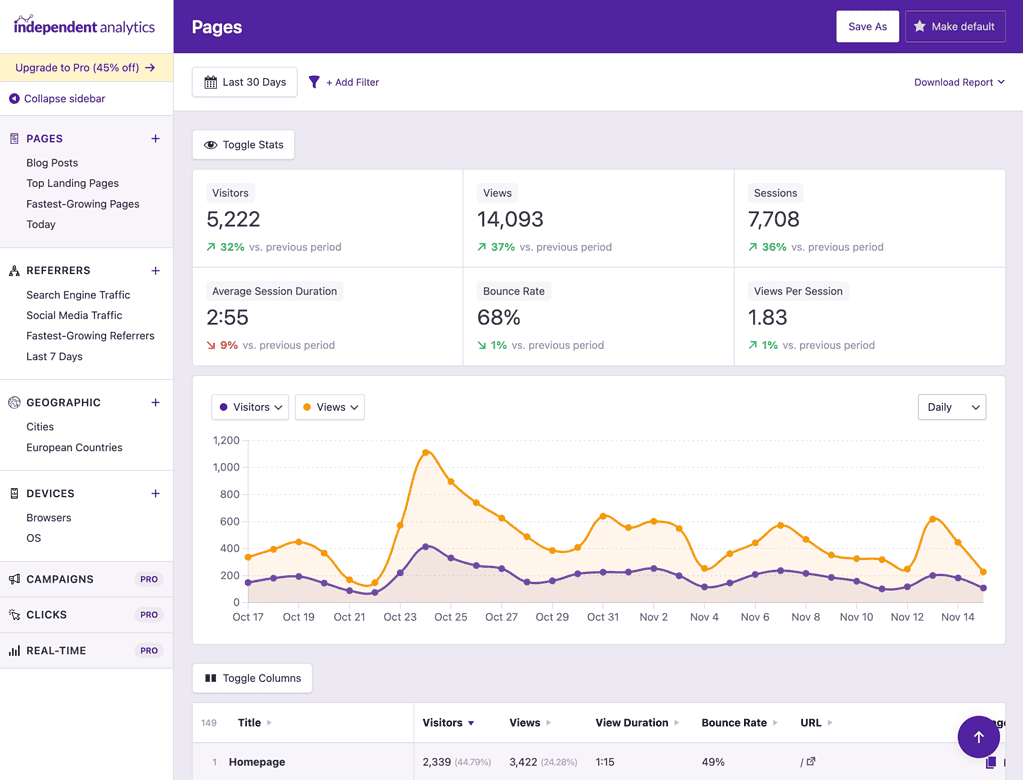
It includes things neither Fathom nor AnalyticsWP handled as well, such as:
- Native click tracking
- User operating system data
- More granular location tracking (including cities and EU-specific reports)
- Cleaner, more accurate referral data—especially for search engines and social media
Because it’s deeply integrated with WordPress, it can also do things remote tools simply can’t:
- Show top blog posts by title, not just raw URLs
- Track stats per post directly from the Posts list in WP Admin
- Display traffic graphs on the main WordPress dashboard
- Track full user journeys, including form submissions and WooCommerce orders
- Track clicks on PDFs, ZIP files, and custom link patterns (like affiliate links)
- Built-in campaign tracking
- Built-in email reports
Most importantly, it does all of this without turning analytics into a second job.
Independent Analytics tracks what you care about—and skips the rest.
Let’s Talk About Performance And Storage Space
Any WordPress-based analytics plugin adds some overhead. That’s unavoidable.
But remote tools come with tradeoffs too:
- Tracking scripts load from third-party servers
- Data lives somewhere you don’t control
- Reports live outside WordPress
- Admin integrations are usually just embedded remote dashboards
When I tested AnalyticsWP, I appreciated how lean it was. Its tracking script is only 1.4KB and locally hosted, with data stored efficiently in a single table.
Independent Analytics does more… so naturally it uses more resources.
- Tracking script size: ~12KB (still far smaller than Google Analytics)
- Data is recorded asynchronously via the REST API
- No impact on page load times
- Uses multiple purpose-built database tables (27 in my case), each properly indexed for performance
They estimate that one million visitor sessions take roughly 200–300MB of database storage.
That’s a non-issue for any modern server.
In fact, most sites will see a performance improvement when switching away from Google Analytics.
What I Love / What I’d Improve
I really like Independent Analytics. Obviously so… since I’m switching to it. 😇
What I personally really like about it is:
- Better integration throughout the admin panel (like the dashboard widget, stats on the post list admin screen, stats in the admin bar, etc.)
- Built in email reports.
- Full data portability
- Tracks some data I kind of missed from Fathom Analytics and AnalyticsWP
- Ability to customize the Overview screen with the data I want.
- While I really appreciate Conversion Bridge, it does seem as if Independent Analytics makes it irrelevant. What Conversion Bridge does with most other tools…. Independent Analytics already does baked right in. While CB does integrate with IA, I don’t see much of a point in that integration.
If I were to make this tool absolutely PERFECT, some things I would add are…
- Tracking of screen resolutions
- A copy/paste tracking tag to enable tracking of systems that don’t hook into the main WordPress theme. Example: FluentCommunity. Bonus points for being able to track any external system (such as a remotely hosted shopping cart).
- Ability to specify specific user paths (i.e. sales funnels) and track the conversion rate through the funnel.
- Integration with SEOPress (Selfishly, since this is the SEO plugin I use).
- Integration into the user system to track logged-in user activity. The user journey system gets us a long way to the goal, but if it linked up fully to the user itself then we could see specific user activity from the user profile screen. Or perhaps even query a user’s activity and build an integration in with FluentCRM to see that user’s events.
- An agency plugin that would enable a parent/child relationship with client websites, with data accessible via the API. This would enable a global overview of core stats from all client sites I manage, or even display of those core stats in the client profiles.
I can think up cool features all day long. We all have our wish lists. 😇 But, I’m also well aware of the importance of not trying to create one plugin that can do everything. The result would be a bloated tool that nobody wants to use.
Funnel tracking would probably be the thing I would want the most. If I could group certain pages and/or URLs together into a funnel and have Independent Analytics specifically show me the conversion rate through that group of pages, it would be incredibly useful.
Why I’m Making This My Analytics Tool Of Choice For Concierge Clients
I’m adding Independent Analytics to the Concierge Toolkit—and making it my default analytics recommendation for clients who want me to set things up for them.
Clients are always free to use whatever analytics platform they prefer. Some still use Google Analytics, and that’s fine.
But for clients who ask me to recommend and configure analytics?
Independent Analytics is now my answer.
Why?
Because:
- It integrates deeply with WordPress
- It respects client ownership and data portability
- It avoids vendor lock-in
- It stays with the site – even if the client moves on
If a Concierge client ever leaves, their analytics go with them. I deactivate the license, they purchase their own, and everything continues uninterrupted.
No traps. No hostage data. No compromises on principle.
That matters to me.
And that’s why I’m switching.
Final Thoughts
At the end of the day, this decision really comes down to values.
I want analytics that are fast, useful, and easy to understand—but I also want them to respect ownership, portability, and independence. I don’t want my websites (or my clients’ websites) feeding a data machine that offers “free” tools in exchange for control and surveillance. And I don’t want critical business data locked inside platforms that disappear the moment you stop paying them.
Independent Analytics strikes the best balance I’ve found so far.
It gives me:
- Full ownership of my data
- Reports that stay with the site forever
- Deep WordPress integration without bloat
- The metrics I actually care about
- Zero dependency on third-party platforms
It’s not trying to be Google Analytics. And that’s the point.
For my own sites—and for the clients I support through Concierge—Independent Analytics aligns with how I think about running an online business: simple, performant, respectful of privacy, and built to last.
If you care about digital sovereignty, data portability, and actually using your analytics instead of wrestling with them, Independent Analytics is absolutely worth a serious look.
That’s why I’ve switched.
If this way of thinking resonates with you, Independent Analytics is now my default recommendation and is included as part of my Concierge service (via the Concierge Toolkit).
Popular Right Now

What If Your Website Was Just… Handled?
I manage WordPress sites for creators and small teams who don’t want to fight tech anymore. Hosting, updates, security, performance — plus a real human you can ask anything.
Tools, checklists, and resources for solopreneurs who want to spend less time on tech — and more time growing. With more tools coming regularly. 😎

