

Fresh back from a short weekend out with the family in the RV. Perfect weather down here in Florida right now, so might as well take advantage. 😎
As with every week, though, I start off with a fresh issue of The WP Edge. This week…
As you’ll see below, I’ve got some fresh videos for you as part of my biggest hosting change for Concierge. One simply explains why I’m doing this at all… and the other goes into the often overlooked subject of website backups. While I handle all that for my clients, everybody else should take a moment this week and ensure you have a good backup strategy in place.
Next, we’ll talk about your authority. After all, you need to answer that question for your visitors of “why listen to me”? It isn’t about audience size. It is about how you conduct yourself and what you provide. More below.
Then lastly, I’ll give some tips on how to spot slow WordPress plugins that might be causing your site to slow down without you really knowing it.
Alright! Let’s do it, shall we?… 😎
Featured This Week
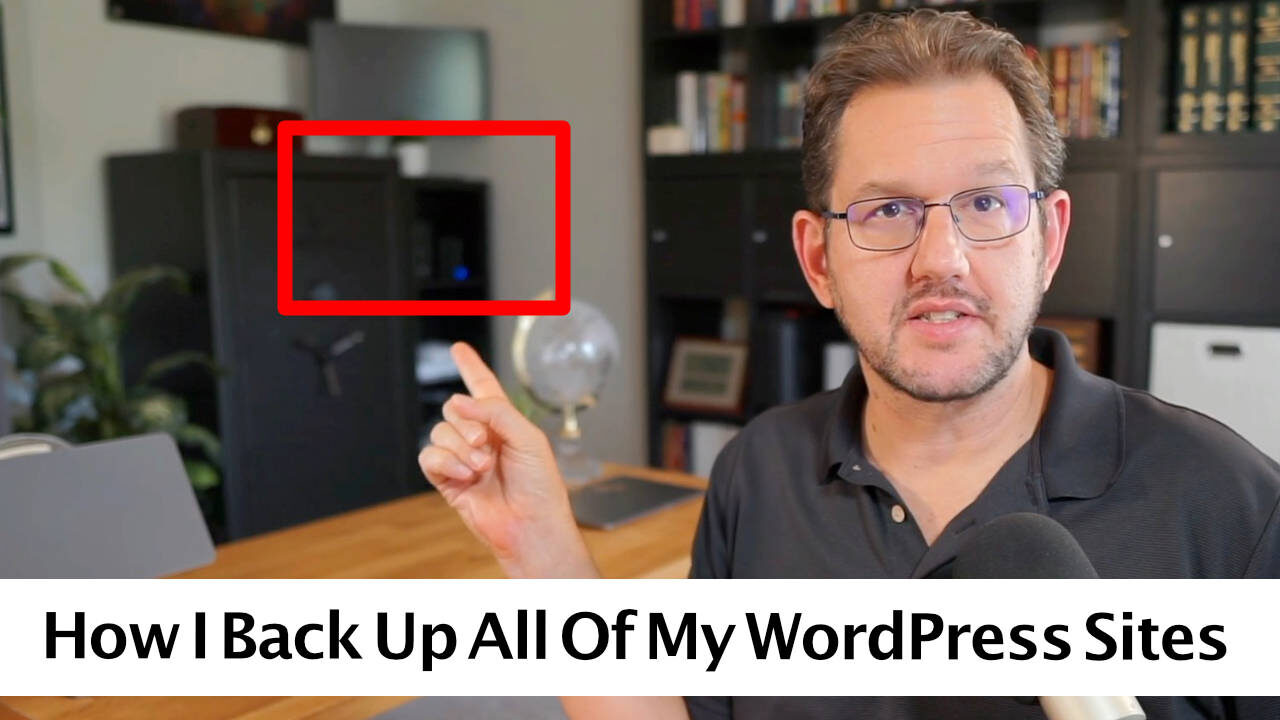
Website Backup Strategy: The Best Ways To Stay Out Of Trouble With Proper Backups Of Your Website
What are the best practices on backing up your WordPress site? Let’s talk about backup strategy… and I’ll go behind-the-scenes on how I manage backups for myself and my clients.

Why I’m Moving Sites Away From Rocket.net Hosting
I am a big fan of Rocket.net hosting. So, if that’s the case, why I am moving my sites and my clients’ website out of Rocket.net and onto another hosting setup? In this video, I explain why.
In Case You Missed It…
- Saying No (To Yourself) + Why You Should Use Cloudflare (Issue #555)
- The issue on hosting… and slow admin panels (Issue #554)
- How To Convert From BuddyBoss To FluentCommunity
- The Cutthroat World of Plugin Competition (Issue #553)
- Privacy Concerns With Stripe? + Vibe Coding? (Issue #552)
- Privacy Concerns Of Stripe Connect: Can The Developer Of Your WordPress Ecommerce Plugin See Your Store’s Transaction
How to Engineer Authority (Even Without a Big Audience)
You don’t need a massive audience to be seen as a leader. Authority isn’t something you wait for. It’s something you create with intention.
First, what IS authority?
You’ve probably seen on a lot of sales letters and about pages how people try to answer that question of “Why listen to me?” Authority is basically the answer to that question. It is why somebody would pay attention to you and your website versus somebody else’s. And why they should even give your advice or thoughts any attention.
As a site owner, it helps to know how to intentionally create that. Sure beats the hell out of just waiting for the world to bestow it on you. 🤪
So, here are 5 practical ways to do it.
1. Present a Plan
People trust guides who have a map. Most content creators focus on outcomes – “get more leads,” “launch a course.” But experts break it down.
Even a simple 3-step process or visual roadmap can elevate your positioning. Give your audience the path, not just the pitch. Show that you have a framework for what you do.
2. Answer Real Questions (Directly)
Skip the fluff. Authority comes from clarity. Look at what your ideal audience is actually asking (in your inbox, on social, in comments) and answer it simply and confidently.
You don’t need to be the most advanced voice in your niche. You just need to be the most useful one.
3. Speak in Absolutes
Confidence builds trust. While nuance matters, don’t hide behind it. Say what you believe. Use strong, clear language: “Do this.” “Avoid that.” “This is the best way.”
Wishy-washy language makes people question your expertise – even if your content is good. Even if the real answer is “it depends”, explain it simply and then give them your definite recommendation on which path to take. Leaders don’t complicate things and leave the decision to them…. leaders tell them what their next step is.
4. Share What You Believe
Your values are part of your authority. When people understand why you do what you do, it builds connection and trust. Don’t be afraid to take a stand – even on small things.
Authority isn’t just about knowledge. It’s also about conviction… and standing for something.
I put my core principles right on my about page. And you’ll see those principles weaved into everything I do.
5. Create an Aha Moment
You don’t need a TED Talk. You need a single shift in how someone thinks or acts. Give your audience a small win – a practical insight, a mindset tweak, or a better way of doing something.
If you can change what they do next, you’ve already earned influence.
When you give them a lead magnet, aim it toward them taking one specific action immediately to get a result. Don’t just give them stuff to read…. since that’s useless. Change their behavior by having them DO something and get a win.
—–
Bottom line: You don’t need to be famous to be seen as credible. Authority comes from being clear, helpful, and bold – consistently. And the good news? You’re in control of all three.
Concierge Client Update

Hosting Update / Site Audits
Some more hosting migrations were completed last week…. with more to come this week. As a review, you can watch this video on why I am moving sites out of Rocket.net Hosting.
It is a bit time consuming to do this…. and as you might imagine I have plenty of other projects going on at the same time. 😇 So, it takes a bit of time. But, results continue to be promising. Moved another membership site client over to the new setup last week…. and the admin panel definitely got some new pep in it’s step. 😎
While I am doing this entire thing, I am seeing things on sites that might be good for us to pay attention to. So, I think I may use the opportunity to do a little audit of each client’s site. In fact, I’ll set up a checklist first. Then do a quick audit – perhaps even on a video. On the tech front, it means I’ll double-check everything is set up exactly right. On the business front, perhaps I can provide some opportunities to improve your site and spot things you didn’t notice before.
It’s a good opportunity. Because, I’ve got a lot of clients that just kinda do their own thing and I’m just there doing the tech tasks, but I otherwise won’t hear from them often and I’m not involved day to day. So, these audits are a nice opportunity for me to do a deeper dive into each site. Like…. a spot check. 🤪
Anyway, stay tuned for that.
WordPress News & Updates
Security Alert For Post SMTP. 400,000 sites were affected by an account takeover vulnerability found in the Post SMTP plugin, according to WordFence. The plugin would apparently leak the email logs of outgoing emails, thereby allowing the attacker to access password resets. No bueno. 🥴 I have no clients using this plugin (I use FluentSMTP myself), but if you’re using it, ensure you’re running 3.6.1 or later to ensure the fix.
Cloudways Introduces Lightning Stack. I remember back in the day when I switched sites from Cloudways to a similar server managed via xCloud. Everything got faster. Why? Because, Cloudways tech stack is old. Well, looks like they knew that because now they’re introducing what they call the “Lightning Stack”. Built using nginx and PHP+FPM. The performance numbers are quite positive, which makes sense since it is a much better software setup than their old setups. From my perspective, Cloudways is just playing catchup here.
Comments Firewall. A new plugin by korchix was released called Comments Firewall. It is supposed to be an anti-spam plugin for blog comments which puts up a “firewall” to keep spammy comments from ever hitting your database. I’ve not tested it, but could be quite good. I will say, though, most sites have no need for comments at all and I think your best solution is just to turn it off, usually. For more, see: Ultimate Guide To Blog Comments: Best Practices For Handling Comments On Your Blog In The Modern Era
Conversion Bridge 1.11 – Analytics In Your Dashboard. Conversion Bridge has been updated to 1.11, which numerically feels like just another maintenance update. But, this one is more than it lets on. Full Google Analytics dashboard stats,, right inside of WordPress. Which means, any of you people running MonsterInsights can ditch that bloated thing right now and switch to Conversion Bridge instead. This version also now has integrations with FluentCart and Paymattic, and new integrations with Koko Analytics and Active Analytics. Check out the full announcement here. Concierge clients: Conversion Bridge is in the Toolkit, so all you’ve gotta do is ask. 😇
Fluent Forms Update. Fluent Forms was updated to 6.1.5 and this version introduces styling options right in the block editor, new accordian and tab input fields, integration with Authorize.net, and some other potentially useful changes. Check out the full announcement here. The block styling update will certainly be useful.
Bunny Shield Not Generally Available. I like Bunny.net and use them for video hosting, but the company has been in a state of evolution to where it is turning into almost a competitor of Cloudflare in some ways. Their Bunny Shield product was in the preview phase, but is now available to the general public.
SEOPress 9.3. Many of my clients are now using SEOPress for their SEO needs, as part of the Toolkit. It has just been updated to 9.3, which introduces a massive performance upgrade for XML sitemaps. They’re saying almost an 8X improvement. Check out the full release notes here.
BuddyBoss… Plus?. Looks like Buddyboss has introduced a new program they’re calling “BuddyBoss Plus” which basically adds gamification and offloading of media to the existing BuddyBoss architecture. The idea is that this would eliminate the need for third-party plugins like GamiPress or WP Offload Media. And I guess Plus will expand, since they’re eyeing member blogs and gamification competitions as well. I dunno. BuddyBoss is like the quick sand of platforms, since it requires so much of you. I’d be a little hesitant about putting all your eggs in their basket, frankly.
WPFilters Launch. The team behind SearchWP (which is basically Awesome Motive, BTW) has launched WPFilters… a new query and filter plugin that, I imagine, will compete with the likes of FacetWP and WP Grid Builder.
Tech Tip: How to Spot the WordPress Plugins Slowing Down Your Site
Your site feels slow… but where’s the bottleneck?
Before you start upgrading hosting or stripping down pages, it’s worth checking your plugins. Some may be quietly dragging things down behind the scenes – even if they seem harmless.
Here’s a simple walkthrough to help you figure out which plugins are slowing you down (and what to do about it).
Step 1: Start with a Performance Benchmark
Before you change anything, measure your current performance. Use tools like PageSpeed Insights or GTmetrix. You’re looking for things like load time, Largest Contentful Paint (LCP), and Time to First Byte (TTFB). See what you’re working with.
I personally like GTMetrix because I can use the waterfall report to see exactly what resources are loading and how large they are. This can help spot bloat.
Step 2: Use Query Monitor to Catch Slow Plugins
Install the Query Monitor plugin. It adds an admin bar tool that shows:
- Slow database queries
- Hooks and actions by plugin
- HTTP API calls
After you activate it, load a few key pages (homepage, sales page, course dashboard) and look for plugins responsible for long queries or repeated calls.
A new alternative I just found recently is Black Bar, which looks like a pretty useful tool as well.
Step 3: Check Admin Area Performance
If your dashboard feels sluggish, it’s often due to plugins loading unnecessary scripts or API calls.
Use Query Monitor while browsing your admin area — especially on the Plugins page, post editor, and WooCommerce/Membership dashboards.
Also, be sure to disable anything you can find on plugins that cause remote API calls. As much as you can, anyway. For instance, I always disable all the extra bloat in WooCommerce when I set it up as all it does is slow things down. See: WooCommerce Setup: The Settings I Use For Almost Every Site I Build.
Step 4: Use the Code Profiler
The Code Profiler plugin can be a useful tool for measuring the performance of your plugins and themes at the PHP level.
Step 5: Experiment by Disabling Plugins
If you suspect a plugin is hurting performance:
- Deactivate it temporarily
- Re-test page speed and performance metrics
- Compare before/after results
Pro tip: Always back up first. And if the plugin is core to your business (like your LMS or membership plugin), test on a staging site if possible.
——
Not all plugins are created equal. Some are coded to be quite efficient…. while others are not. And one of the biggest mistakes I see out there are people running plugins they’re not even using…. or having gone out to the repository and found some freebie plugin they never heard of just to try to accomplish one little thing.
So, when you find a plugin slowing things down, what do you do about it?
Use a tool like the Script Manager in PerfMatters to selectively load it, so that at least that plugin only loads up where it is needed and nowhere else.
- Look for an alternative that is lighter, or just do without it.
- Look for options within that plugin that you’re not using that you can disable, thereby giving it a lighter footprint.
- Use a tool like the Script Manager in PerfMatters to selectively load it, so that at least that plugin only loads up where it is needed and nowhere else.

Here’s how I help people every day…

Make everything about managing your site simpler… by having me on your team to help make sure everything goes smoothly. By providing the very best tools, the best hosting and maintaining everything for you… I’ll take care of the mechanics so you can just focus on growth.
Did you like this issue? Consider sharing the opt-in page on social media to help it grow.
And feel free to forward it on to somebody you think will benefit from it.
The WP Edge is the official weekly newsletter of the Blog Marketing Academy.
