
Have You Created A WordPress Frankenstein Site That Breaks All The Time?
Is your WordPress site moody and unpredictable? It might be a Frankenstein build. Here’s how these monster sites happen—and what to do about it.

In the classic novel Frankenstein written back in 1818, a brilliant but reckless scientist stitches together a creature from mismatched parts, hoping to create life. What he ends up with is something unnatural – powerful, unpredictable, and uncontrollable.
Does this sound familiar?
Far too many WordPress websites are built the same way: cobbled together over time with an ever-growing collection of plugins, page builders, themes, custom code, and duct-taped fixes. These sites often work… until they don’t. They become moody and fragile. A single update breaks something. Pages take forever to load. Conflicts appear out of nowhere. Weird flukes are present and it is hard to track down what’s causing it. And when something goes wrong, nobody wants to touch the thing, let alone figure out which part is causing the mayhem.
I call them “frankenstein sites”.
In this post, we’ll take a closer look at how these sites come to life, the warning signs to look out for, and what you can do to prevent – or reverse – the madness.
How A Frankenstein Site Is Created
No one sets out to build a monster. Most Frankenstein sites don’t begin as disasters. They evolve into them over time, often with the best of intentions.
Here are some of the most common ways this happens:
1. Too Many Cooks in the Kitchen
When a site has been handed off between multiple developers, agencies, or DIY site owners, each one tends to add their own tools and solutions without fully understanding what’s already in place. Over time, the codebase becomes a tangled mess of overlapping features, conflicting plugins, and half-abandoned experiments.
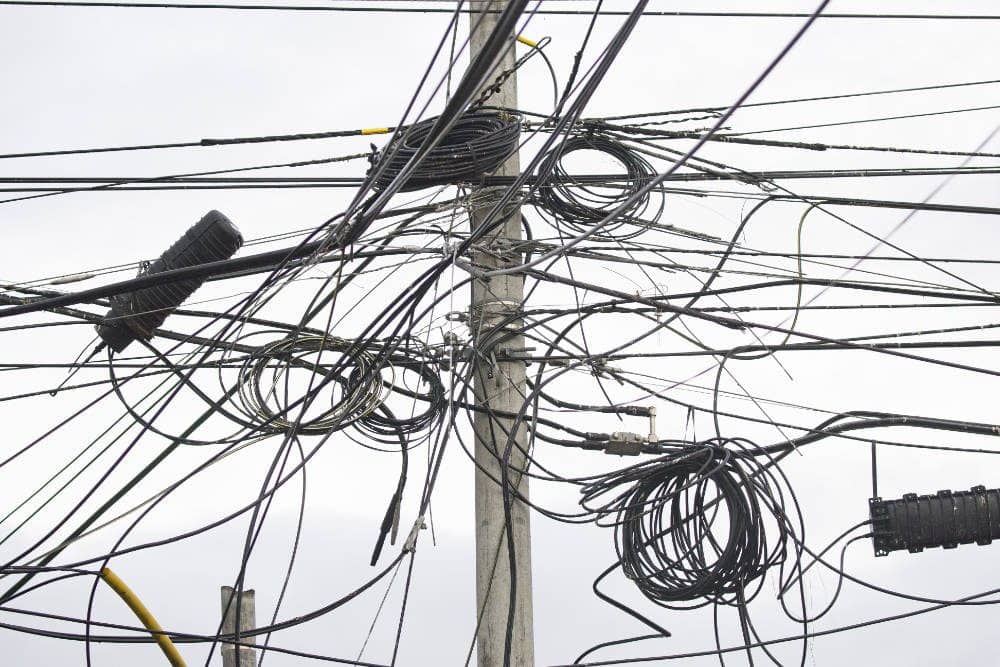
I’ve seen this many times when site owners have hired multiple developers over time…. or even when they just hired some Fiverr developer who didn’t really know what they were doing. Different developers have their own ways of doing things and they’re own favorite tools. Worse yet, you have some sites where things were hand-coded where there was no actual reason to do so outside of keeping the site owner dependent.
2. Plugin Overload
Plugins are one of WordPress’s greatest strengths, but also one of its greatest weaknesses when abused. It’s not uncommon to see sites running 30, 40, or even 60+ plugins.
Running a lot of plugins doesn’t necessarily create a Frankenstein. It can be done very adeptly and smartly, but it does take additional responsibility to ensure things continue to run smoothly.
RELATED: How Many Wordpress Plugins Are Too Many? Surprising Answer…
Without the right knowledge, it is all too easy to pile on so many plugins that things slow down and break frequently. Some do very little. Some do the same thing in different ways. And when one updates and breaks another, it can bring down the whole house of cards.
3. Shiny Object Syndrome
A new feature is needed, so a plugin gets added. A new trend arises, and another tool gets tacked on. Some plugin goes on sale, and the site owner decided to buy it and slap it on “just in case”.
Visual page builders. Pop-up tools. Membership add-ons. All without regard to performance, compatibility, or long-term impact. Eventually, the site becomes a patchwork of short-term solutions with no cohesive strategy.
4. Theme Lock-In and Builder Bloat
Using bloated themes or legacy page builders often means custom layouts are deeply tied to one system. Trying to change or modernize the site becomes an ordeal. So instead, more plugins get added to compensate for the limitations of the existing setup. Layers upon layers build up like scar tissue.
BuddyBoss / Elementor sites are classic in this regard. The BuddyBoss theme is all but necessary to run the Buddyboss platform, yet the theme is incredibly difficult to modify unless you’re running Elementor Pro. Well, Elementor then adds it’s own share of bloat to the site. And inevitably, the site owner has to end up finding creative ways to do more things, so they add yet more plugins to add new blocks and capabilities to Elementor. Or plugins that do fancy things and output into a shortcode which is then stuck into a nested pile of Elementor templates.
Such sites become unweildy…. really quickly. And I can tell you from direct experience, BuddyBoss / Elementor sites break on updates more than any other site framework I manage as part of Concierge.
5. Lack of Technical Oversight
Many business owners are not developers – and that’s okay. But when no one is really managing the technical integrity of the site, decisions get made based on convenience, not sustainability.
Want some snazzy new feature or even just something small? Rather than think about the cohesive approach to implementation, the site owner will just go out and find some plugin that promises to do it. Often, that plugin adds a huge pile of bloat to the site all to do one little thing.
Over time, small compromises and easy solutions lead to major instability.
Signs Your Site Might Be a Frankenstein
Here are some of the telltale symptoms:
1. It Breaks Often… And You’re Not Sure Why
You update a plugin normally and suddenly… your site gives you the “white screen of death“. Or you’re getting critical or fatal errors.
Perhaps it isn’t so violent, but you start noting new quirks. Some page elements have suddenly changed. A form stops submitting. There are new errors showing up in places where it wasn’t before. On a membership site, you may have new accounts coming in where the permissions weren’t set properly and it seems to happen randomly.
What can end up happening is that you’re almost afraid to update a plugin because something “always” seems to break when you do.
2. It’s Slower Than It Should Be
A frankenstein site can be really sluggish even when on the best hosting. Bloated plugins, redundant scripts, and excessive database queries pile up over time, dragging down performance.
This can be particularly noticeable when you’re logged-in. Browsing around the WordPress admin panel can feel really slow. Even on the front-end, logged-in users may have sluggish page loads (especially on membership sites where logged-in users are common).
It is a fact of life that the more plugins you run on your site, the slower the site will get. That said, choosing the right plugins can make a real difference, too.
3. There’s a Plugin for Everything (and Then Some)
If your Plugins screen looks like a library of half-used tools (multiple SEO plugins, overlapping page builders, five different ways to add popups), you’ve got plugin bloat. Even worse if you’re not sure what each one actually does.
I’ve had my share of clients who come to me running plugins they don’t even recognize. I’ve had instances where clients are running multiple page builders, such as Elementor and Thrive Architect at the same time. Or fancy plugins for social media buttons where the theme could have handled it all on it’s own.
Plugin overlap is a common issue. Not only that, I often find stupid plugins enabled on sites where a simple code snippet could have done what they wanted.
4. You Can’t Easily Change or Redesign Anything
The site feels brittle. Trying to change a layout or remove an old feature turns into a rabbit hole of dependencies. You’re stuck maintaining something that no longer fits your needs, because it’s too fragile to touch.
Ever wanted to change one fairly minor thing and then find you have to do it manually in a hundred different places? Yeah…. classic frankenstein.
Frankenstein sites weren’t put together to be future-proof. Instead, it was shortest possible path to the desired outcome at the time. Do that over and over again and you have a site which can be very difficult and time-consuming to make changes to.
5. No One Wants to Touch the Code
If every developer or freelancer you hire takes one look and says “who built this?”—or quotes a high price just to investigate—it’s a sign that your site has crossed into Frankenstein territory.
I won’t name names, but I have one client right now with just such a site. He signed onto Concierge with a BuddyBoss site that I found was grossly over-built with a criss-crossing mish-mash of code snippets, automations, nested templates in Elementor and more. I wanted to help make some changes to the site, but once I got in there I discovered what a pile of tangled wiring this site was. I would either need to re-build entire sections of it (which would be very time consuming)… or just leave it as it is and work with it.
When sites get really complicated, things have usually gone wrong already.
How to Avoid Building a Frankenstein Site
First up, let’s establish some rules and guidelines that can be helpful if your site is still fairly small…. or perhaps even doesn’t exist yet. Then, we can avoid building a frankenstein in the first place.
1. Start with a Clear Strategy
Before installing a single plugin, know what your site is for. What are its core functions? Who is it serving? What features are truly necessary? A strategy-first approach prevents you from reaching for quick fixes later.
You don’t need to throw everything and the kitchen sink at your site. It doesn’t need every feature you can think of. Trust me, your target market won’t care at ALL about most of the ideas you have and it would be a total waste of your time to try to build it.
Instead, focus on the core promise of the site and build that in the simplest possible way. Don’t add any bells and whistles until you know what you HAVE built is used and valued by your audience.
2. Use Fewer, Smarter Plugins
Every plugin you install adds weight—and potential risk. Choose well-maintained, multipurpose tools from reputable developers. Avoid stacking plugins for things that could be handled with a little custom code or within your theme.
- If a simple code snippet will get the job done, then do that rather than install an entire plugin.
- If you have plugins that can do multiple things, try using all that you can of it before installing new plugins that do the same things.
- Premium plugins with regular updates are usually far preferred over low-use freebies you found in the “flea market” of the WordPress plugin repository.
3. Stick With a Solid Theme and Page Builder
Pick a flexible, performance-oriented theme (like Kadence, GeneratePress, or Blocksy) and avoid older page builders that lock you in. The native WordPress block editor (Gutenberg) has come a long way and can often handle more than people realize.
I personally use Kadence (which works with the native block builder). It works beautifully and doesn’t weigh down your site.
RELATED VIDEO: Thrive Themes Vs. Kadence Theme: Site Performance Metrics Before/After
Large page builders like Thrive Themes, Elementor and Divi add a large layer of bloat. Often, they’re overriding the theme itself which means you have multiple layers going on back there. Plus, when you build with a page builder like that, you’re going to be stuck with it and switching away from it would require a total re-build.
4. Document Everything
Documentation seems really boring. It is much more fun to just shoot from the hip and build, build, build. But, over time, you’ll lose track of what is happening and how it works. Taking the time to keep documentation is incredibly helpful.
Keep track of why certain plugins are installed, what custom code is doing, and how key features are built. IF you’ve got marketing automations doing things, or automations in an automator plugin… make sure you document what it does.
This helps the next person avoid guessing—and breaking things. It also helps YOU not go cross-eyed wondering what the hell is happening or why something unexpected happened.
I have one client where his requirements on his member dashboard were quite unique. It involved custom coding, a lot of tags from FluentCRM, and some WP Fusion permissions to pull it off. The last thing I’d want is to be the only dude in the world who knew how that thing worked. So, yep, I spent about an hour documenting it and I passed that document onto the client. It makes it future-proof.
5. Keep Your Site Regularly Maintained
Sites decay when they’re left on autopilot. Regular updates, plugin audits, and performance reviews help catch problems before they turn into monsters.
Also, it is helpful to routinely review how the site is built and look for opportunities to streamline. Perhaps features that are there aren’t used by anybody, so there’s no point in having it turned on.
How to “De-Frankenstein” an Existing Site
Already have a Frankenstein on your hands? Don’t worry—there’s hope. Here’s a roadmap:
1. Audit Your Plugins and Tools
Start by listing every plugin and identifying:
- What does it do?
- Is it still needed?
- Is there overlap with another plugin?
- Is it bloated or outdated?
Remove what you no longer need, and consolidate where possible.
2. Identify Structural Weak Points
What breaks often? Where is the site most fragile? Is your theme outdated or unsupported? Are your layouts tied to a proprietary builder? Identifying these hotspots gives you a path forward.
3. Consider a Partial Rebuild
Sometimes, the best fix is a rebuild—but not a full one. You might retain your content, branding, and overall look, but rebuild the foundation using cleaner tools and better architecture. Think of it as a renovation, not demolition.
I’ve lost count now of the number of sites that were running on Thrive Themes that I re-built using Kadence Theme. In all cases, the performance metrics increased substantially and the sites LOOKED better. I didn’t re-design the whole site…. I just re-built it in a different framework and the whole thing ran much better.
4. Migrate to More Modern Standards
Move away from legacy plugins and themes. Embrace the block editor or a more lightweight stack.
If your site is a BuddyBoss site which keeps breaking, maybe switching to FluentCommunity will make more sense. It is coded entirely differently and is much more lightweight.
If your site is a bloated beast built on Divi, Elementor or Thrive Themes… maybe switching to the block editor using Kadence is your meal ticket.
5. Work With a Developer Who Understands the Problem
Cleaning up a Frankenstein site is different than just “making edits.” You want someone who understands performance, architecture, and long-term maintainability—not just someone who can install more plugins.
I’ve done quite a bit of this through Concierge or the WP Speed Fix service. It does require a cohesive understanding of WordPress and a holistic view of how all these things interact. It also requires some nerd skill to deep dive into the innards of what’s going on to find out where the bloat is.

Fixing the performance of your website is often confusing. Lots of jargon. Lots of advice… most of it confusing. And truth is, it is a pretty holistic thing to tackle. You need to have a “big picture” understanding of what’s going on. You can’t just install a plugin and be done with it.
When you book WP Speed Fix, we’ll fix up your site’s performance scores. And we’ll do it together. I have the experience and all of the tools. And we’ll get it done.
Some Best Practices Out Of My Own Personal Experience
I have been involved with building out a whole lot of membership sites on WordPress. Some built from scratch, others streamlined. And I am curr
ently managing almost 100 sites as part of Concierge. So, I have some real-world thoughts and recommendations here.
As always, there are multiple ways of doing things. So, I don’t think MY way is always the best. But, these are some things I personally do.
- I avoid page builders whenever possible. I’d much prefer to use a platform like Kadence which uses the native block builder.
- I always try to avoid installing plugins just for small things. Instead, I’ll use FluentSnippets and then just use code snippets. And these days, using AI to “vibe code” WordPress code snippets is pretty easy. You still have to know enough to stay out of trouble, but it has definitely made things easier.
- I like using plugins from the same “family” of products. This is one reason why I love the “Fluent” line of products (like Fluent Forms, FluentCRM, and so on). Their products are very efficiently coded, but they also work together seamlessly. While I am not a user of the “Sure” family (like SureCart), I’m sure you’d have the same benefits there, too.
- I am a stickler for active plugins and turning them off if not absolutely necessary. One of the first things I do when clients enroll in Concierge is a plugin audit. I go through the entire list and look for anything I can turn off.
- I avoid BuddyBoss. I still have some clients who are using it (I didn’t build those sites). But, if I’m involved with building out a membership site, I will always try to guide them away from BuddyBoss. While very powerful, the platform is a beast and requires a whole lot of payload with other third-party plugins. BuddyBoss sites are, by far, the most “high maintenance” sites I manage in Concierge and they break more often. Classic frankenstein.
- I avoid Awesome Motive plugins. Truth is, the upsells and stuff built-in to their plugins means extra code and additional clutter in the admin panel. They turn your site into a billboard for their other plugins. No thanks.
- I try to avoid security plugins like WordFence. If you apply my other rules here along with solid web hosting, you’re not going to have security issues.
- I’m a big fan of Admin and Site Enhancements. This plugin does a lot of things all in one plugin and streamlines things quite a bit.
Final Thought
Building with WordPress shouldn’t feel like managing a ticking time bomb. A stable, fast, and well-structured site is absolutely possible—but it requires restraint, intentionality, and the occasional hard look at what you’ve built.
If your site feels like a monster, you’re not alone. But monsters can be tamed—or rebuilt from the ground up into something better.
Popular Right Now

What If Your Website Was Just… Handled?
I manage WordPress sites for creators and small teams who don’t want to fight tech anymore. Hosting, updates, security, performance — plus a real human you can ask anything.
Tools, checklists, and resources for solopreneurs who want to spend less time on tech — and more time growing. With more tools coming regularly. 😎

