AI is changing a lot of things. It’s making us rethink a lot of things we used to take for granted. Like… do you even really need a website anymore? Or, do you even need to buy a theme anymore?
Real questions. I’ve seen peeps on X talking about where websites actually fall these days. Some even going all the way and saying… you don’t even need one. I’ll comment on that one. And then we’ll get into the theme question, too.
Anyway, one little item of business first. Mostly for my clients. I’m heading out next Thursday, November 5th. And I will be in Hawaii for 10 days. Which means… project work on sites will pause. But…
As I’ve done many times before, I’m never fully gone. I’ll be on a cruise ship, but will have wifi. And cell phones work. And I’ll be equipped, monitoring, and available to handle things that come up. As I always do. But, moving longer-term projects forward? Those things will pause while I spend time with family.
If there’s anything you absolutely need done before I leave, this week would be a great time to reach out about it. 😎
OK. Now, let’s get into a packed issue…
Do You Even Need a Website Anymore?
There’s a question I’m seeing more and more lately (mostly on X, admittedly). And frankly, it’s a fair one.
“What’s the point of having a website at all anymore?”
Think about it. People don’t Google things like they used to. They ask ChatGPT. Or Grok. Or they just read the AI summary at the top of Google and move on. Nobody has the attention span to sit and read a 2,000-word article when a chatbot will give them the gist in four sentences.
And the numbers back it up. SparkToro found that 68% of Google searches in the US ended without a single click in the first part of this year. Two out of three searches, and nobody visits anybody’s website. I told you last week about my own 45% traffic drop. I’m clearly not the only one living it.
So if fewer people are showing up… why bother?
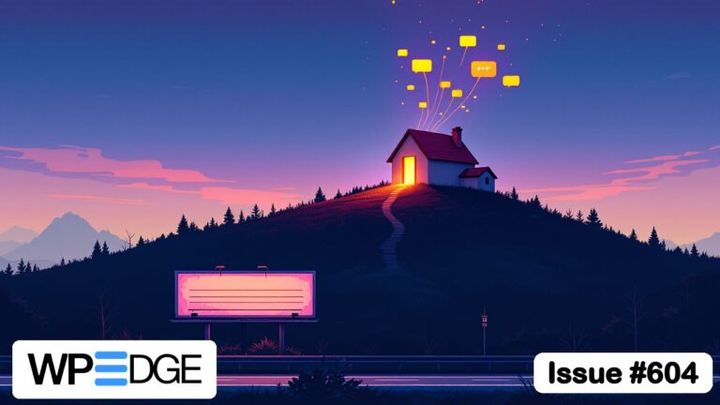
Here’s the thing to understand… The website isn’t going away. But its job is changing. And if you’re still thinking of your site the way we all did 10 years ago… as a billboard on the side of the Google highway hoping people drive by… yeah, that version of the website is in trouble.
It’s the food AI eats
When somebody asks ChatGPT “who’s good at X,” the AI doesn’t make up an answer out of nothing. It pulls from what it can read about you. And your website is the one source on the whole internet that you completely control.
If your site is thin… a homepage, an About page, and a contact form… the AI fills in the gaps from somewhere else. Reddit threads. Old reviews. Your competitor’s comparison page. Not exactly who you want telling your story. 😬
But if your site is full of real stuff… what you do, who it’s for, your experience, your opinions, actual client results… you’re giving the AI something to work with. You’re feeding it the material it needs to recommend you because you’re a real authority.
And when that works, those visitors are gold. Marie Haynes went through a year of analytics data from 100 websites. Visitors coming from ChatGPT converted at 13.8%… versus about 3% for Google organic. That makes sense when you think about it. By the time somebody clicks through from an AI chat, the AI has already done the selling. They show up ready.
Think about that. People treat an AI recommendation a lot like a referral from a friend.
Now, to keep it real… that same study found ChatGPT sent less than 1% as many visitors as Google did. Google still drove over 96% of the conversions. So no, don’t go abandoning Google. But the direction is pretty clear.
It’s where people check you out
This one’s sneaky. More and more, people find you somewhere else first. A YouTube video. A podcast. A recommendation in a chat. A friend.
Then what do they do? They go look at your website. To make sure you’re legit before they reach for their wallet. They’re looking for signs of trust.
So your site might get fewer visitors (most of us already are), but the ones it gets are further along. They’ve already heard of you. They’re not browsing… they’re deciding. That’s a very different visitor than the drive-by reader Google used to send over for a quick answer. Your site may be getting people with more intent… so build the site for them.
It’s where things actually happen
This is the big one for me. Goes right to the heart of why my own business income is up… while my traffic is down. And it is because…
AI can answer a question. It can’t run your business. The things your customers actually do… buying your product, booking a call, logging into your membership, taking your course, filling out your form, joining your email list… all of that has to happen somewhere.
And you want that somewhere to be yours.
Sure, you could run everything off a social platform or somebody else’s marketplace. Until they change the rules. Or the algorithm. Or the price. I’ve watched that movie enough times to know how it ends. 😜
Your website is home base. It’s where the customer relationship lives, where your data lives, where the transactions happen. (It’s also an asset you actually own.) Traffic was never the point of that. The home was the point. This is the kind of thing I help clients build all the time with Concierge… because I specialize in building sites that do real work.
What’s actually dying
So, is anything dying? Sure. Two things.
The brochure site… five pages that basically say “we exist, call us.” AI can say that for you now. This type of site still serves a purpose because it is you hanging your little shingle out on the internet. But, that’s about it.
And the content site built entirely on drive-by Google traffic. “What is X” articles, generic how-tos, reviews that just rehash the spec sheet. AI eats those for breakfast. I’ve been saying this for a while.
What’s left is a website that’s smaller in traffic but bigger in importance. Fewer visitors. Better visitors. And a lot more going on under the hood.
And here’s where it gets interesting…
There’s one more visitor to think about. Bots are now a big chunk of web traffic, and traffic from AI agents… the kind that click links and fill out forms on somebody’s behalf… grew nearly 8,000% in a year. Some of the “people” visiting your site soon won’t be people at all. They’ll be someone’s AI assistant, out shopping for them.
So your website now has two audiences. Humans and machines. Both need to understand what you do, and both need to be able to do business with you.
So… do you even need a website anymore? Yeah. You do. Probably more than ever. Just not the one you had in 2015.
The Inside Scoop
So… did you enjoy the PHP apocalypse last week? 😜
In case you missed it, the PHP project gave everybody a heads-up that it was about to release patches for a couple of critical holes. The bad kind… where an attacker can run their own code on your server. Every version of PHP was affected. And if your site is still on anything older than PHP 8.2? There’s no patch coming for you at all. Those versions are already retired.
Then things got weird. People started reverse-engineering the problem on X before the fix was even out. The FBI, NSA, and CISA told organizations to patch or take their sites offline. Some governments actually pulled their websites as a precaution. Even the prime minister of Japan told people to update PHP. Not something I ever expected to type. 😂
And the wave of hacked sites everybody was bracing for? It didn’t show up. Wordfence’s CEO came right out and said the messaging had gotten way ahead of the evidence.
So here’s how it went on my end.
I run the servers for all my Concierge clients, so this one was on me. And of course, the patches were due to drop right when I had a lunch with a client who happened to be in town. I didn’t love the idea of everybody’s sites waiting on me to finish eating.
So I had my AI setup watch for the release. It checked every 15 minutes and was ready to ping my phone the second the patched versions showed up. Sure enough, mid-lunch, the phone buzzed. I said “go.” It patched the server, then checked every site on it to make sure they were all still loading fine. They were. Back to lunch. 😎
By the end of the day, all six servers were on the patched version. One of them had a quirk where my hosting panel couldn’t even see which PHP it was running, so that one got patched by hand. Almost every site was also already behind Cloudflare, which put extra protection in front of everything while we waited on the fix.
No incidents. No drama.
And honestly, the drama was the part that got me. Folks on X were cranking out the most dramatic posts they could. Some people were taking their own sites offline out of fear. It reminded me of Florida hurricane coverage… the TV reporter standing waist-deep in the water during a 30 mph breeze while everybody else drives by like it’s a normal afternoon. 🙄
Serious? Yes. Something to freak out about? No. When somebody’s actually keeping an eye on your server, you just deal with it. Calmly.
I talked through the whole thing in this Founder’s Memo if you want the longer version.
WordPress News & Updates
UpdraftPlus’s maker got breached, and the attackers used it to backdoor sites. Over the weekend of October 17-18, someone got into TeamUpdraft’s website and walked off with UpdraftCentral connection keys… then used them to quietly install backdoor plugins and admin accounts on connected sites. The kicker? Plenty of site owners didn’t even know they were connected, because that box comes checked by default. Updating to UpdraftPlus 1.26.13 (Premium 2.26.13) cuts off the old connections, but it won’t remove a backdoor that’s already there. If you run UpdraftPlus, update it and then go look at your plugins and admin users for anything you don’t recognize. One host, BigScoots, has already banned the plugin from its servers. (If backups are on your mind now, here’s how I handle them.) BleepingComputer has the story, and Patchstack has the technical details.
A Duplicator flaw hides in a comment and waits for you to migrate. This one’s sneaky. An attacker leaves a booby-trapped comment on your site (even one you never approved), and it just sits there doing nothing… until an admin runs a migration or import with Duplicator. Then it fires. It’s fixed in version 5.0.0. If you use Duplicator, update it, and rebuild any old backup packages instead of restoring from them. No attacks reported yet, which makes right now the time to deal with it. The details.
MCP is coming to WordPress itself. Matt has signed off on making MCP (the plumbing that lets AI assistants like Claude and ChatGPT work inside your site) part of the default WordPress experience, possibly as soon as version 7.3. Funny timing, though. A new benchmark found AI agents completed exactly 0% of everyday site-owner tasks using the official MCP adapter alone, because it doesn’t come with the abilities to actually do much yet. That’s being worked on. Meanwhile, WooCommerce 11.3 is dropping its own AI connection in favor of that same adapter. The AI team’s notes, the benchmark, and the WooCommerce change.
WordPress 7.2 is on deck for December 8. Beta 1 is out now. Highlights include responsive design controls, text shadows, easier navigation menus, better collaboration with Notes, faster media uploads, and a new “On This Day” dashboard widget. Nice stuff… but test betas on a staging site, never your live one. What’s in it.
Automattic starts layoffs. Cuts hit the communications, WordPress.com and VIP teams, and insiders expect more over the coming months ahead of a debt renegotiation in June. Matt says the numbers aren’t above normal. Add it to last week’s turmoil. WordPress itself isn’t going anywhere (it’s open source, after all), but the company behind WordPress.com, Jetpack and WooCommerce is clearly going through it. TechCrunch has the details.
Your vibe-coded website isn’t done. It just looks done. WebDevStudios built the same site twice on the same day… once vibe-coded with AI in four minutes, once on WordPress. Then they listed the 14 things a real website has to handle that never show up in a screenshot. SEO basics, redirects, forms and spam filtering, backups, security patching, accessibility, and so on. AI is great at the first 20%. It’s the other 80% that bites you. Fits right in with both articles this week. See the comparison.
Independent Analytics adds a QR code generator. Version 2.16 redesigned the Campaign Builder, so it’s easier to make tracked links for your newsletter, podcast or social posts… and now you can turn them into QR codes for anything printed. It also now tracks OpenAI ads separately from regular ChatGPT visitors, which is going to matter more and more. This is the analytics plugin I put on Concierge client sites. Self-hosted, no cookies, and your data stays on your own server. (I wrote up my full review if you want the details, or grab it here.) What’s new.
Last call on FluentCart lifetime. The lifetime deal closes October 30, and after that it’s yearly only. They did the same thing with FluentCRM and never brought it back. I grabbed FluentCRM lifetime back in 2021 and I’m still glad I did. FluentCart lifetime starts at $249 for one site. If you sell anything on your site, it’s worth a look before the window closes. Check out FluentCart.
Do You Even Need a WordPress Theme Anymore?
A couple of weeks ago, I told you about moving the BMA blog over to Astro. WordPress still runs the back end, but the pages you see are built separately and served as plain, fast files.
I love how it turned out. But I’ll be straight with you… it isn’t for everybody.
Going that route has tradeoffs. There’s a build step every time something changes. Anything dynamic, like forms, member areas or search, needs some extra plumbing to work. And your server needs extra tools on it just to build the site. For BMA, with thousands of posts and a lot going on, it was worth it. For a lot of sites? It’s overkill.
So I’ve been doing something else for a few clients lately. And honestly, I think it’s the more interesting option for most people.
A theme that’s only for your site… and controlled by AI.
Meaning, you control the entire design of your site (your theme) with AI as your primary interface.
Think about what a WordPress theme actually is. Kadence, Bricks, Elementor, Divi… these are products built to work for hundreds of thousands of different websites. That’s why they come with all those settings panels, customizer options, header builders and a library of templates. They have to cover every possible use case, because the person using them can’t write code.
That’s the whole reason all those settings exist. The settings panel was always a workaround for not knowing code.
But what if you don’t need to know code? What if AI writes it for you?
Then you don’t need a theme built for everybody. You can have a theme built for exactly one website… yours. No page builder. No settings to fiddle with. Just a small, clean custom theme that does what your site needs and nothing else.
And here’s the fun part. You don’t really build it yourself. You talk it into existence.
How this actually works
I recently did this for a client. He’d designed the look he wanted by going back and forth with ChatGPT, and he handed me the mockup. Instead of rebuilding it inside Kadence (which was the original plan), I had AI turn it into a custom theme. His home page, about page, contact page, blog… all from his own design, on staging first.
It’s still 100% WordPress. His email list, his forms, his automations… none of that changed. Only the design layer got swapped out.
The part I’m most excited about? The theme was built so his AI can take it from here. It lives in his own GitHub account. There’s a plain-English file in there that explains to any AI how the site is put together and how to make changes safely (basically, it is an AGENTS.md file). The words on the pages are kept separate from the layout, so a copy edit can’t break the design. When he wants something changed, he tells his AI. His AI makes the change on staging. He looks at it. If he likes it, it goes live. If he doesn’t, it rolls back.
No code. No settings menus. No “where the heck is that option” hunting. 😜
Funny thing is… I know that all of the big theme platforms are becoming more AI-friendly. Elementor, Bricks, etc. Some of them now have MCP connectors and AI can work with them. But, that isn’t the same thing at all. Because, they’re still built with a LOT of bulk and an entire point-and-click interface for human beings. That makes those products heavier and more work to maintain than they need to be.
When you just build your own (using AI), then you have full control. The theme has only what your site needs… and nothing else. No settings screens. No user interface. It is just… a theme. Almost like the old days. Except, you don’t need to hand-code anything. You just… talk.
What you need for this to work
This isn’t magic, so let’s be clear about what it takes.
Your AI needs real access to your site’s files. That usually means SSH access to your server, or a plugin (like NovaMira) that gives your AI that kind of connection. If all your AI can do is write blog posts through the WordPress dashboard, it can’t build you a theme.
You need a staging site. Always make changes there first. AI is fast, and sometimes it’s confidently wrong. Staging is where you find out without your visitors finding out.
You need a way to undo things. Version control (like GitHub) and backups. Every change gets saved, so you can always go back to the last version that worked.
And you need that “instructions for the AI” file. This is the piece most people skip. Without it, every new AI chat starts from zero and has to figure out your site all over again. With it, any AI… Claude, ChatGPT, whatever you use next year… picks up right where the last one left off.
The tradeoffs
There are a few, to be fair.
You lose the point-and-click comfort. There’s no customizer panel to fall back on. If you like clicking around to change colors yourself, you may miss it. Your AI tool becomes your primary interface.
You’re only as good as your AI connection. If something breaks and you don’t have your AI (or someone who knows what they’re doing) handy, you’re stuck. That’s why staging and rollback aren’t optional.
And if you’re relying on fancy features from your current theme or page builder, those don’t come along automatically. They have to be rebuilt in your custom theme… which, in my experience, usually means you find out how many of them you never really needed.
So… do you need a theme?
You need a theme. WordPress won’t run without one. 😂
But you might not need a theme product anymore. The big multi-purpose themes made sense when the only way to customize a site without a developer was a pile of settings. If AI is your developer now, a custom theme built only for your site is smaller, faster, and a whole lot easier to change than any settings panel.
You just describe what you want. And it happens.