OK, so this issue is going to be a wee bit more technical than usual. Not in the complicated sense, but just that we’re going to be talking primarily about WordPress. Not much business strategy in this one. 😇
And that’s because I’m basically 95% complete with one of the biggest changes I’ve made to my own website in years. In the last couple issues, I talked about building in Astro. Now, the point here isn’t Astro… and you don’t even really need to know what that is. 🤣 But, there IS a trend here. And…
Well, this newsletter is called the “WP Edge”, right? So, we’re keeping up with the cutting edge of WordPress as one of the things I do around here. And this is definitely that.
If you spend time designing your website in WordPress, you may find this interesting.
OK, let’s do it…
WordPress Does Two Jobs. It Doesn’t Have To.
Back in early 2022, I wrote an issue asking whether WordPress was killing off page builders. A year later, I asked it again: are page builders dead?
My answer both times was basically the same. Get off the heavy page builder and use the block editor. Lighter tool, same job.
I still think that was the right call. But after the last couple of weeks, I think I was asking too small a question.
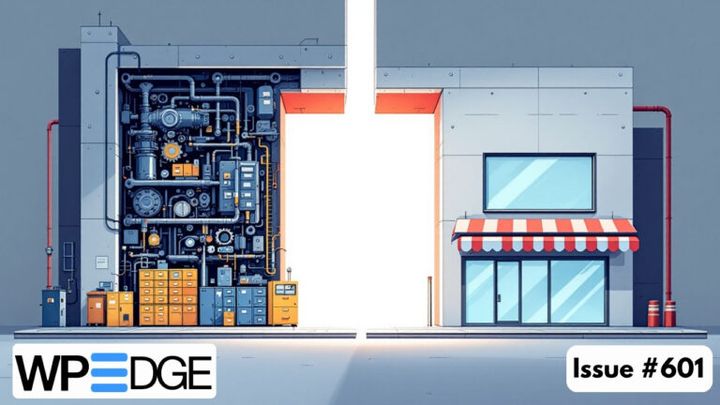
Every website has two sides. There’s the back end, where you write the content, manage the members, process the orders. And there’s the front end, which is what your visitors actually see.
With WordPress, those two are the same thing. They’re welded together.
So when somebody loads a page on your site, WordPress wakes up. It loads the theme. It loads the plugins. It runs a pile of database queries. It assembles the whole page on the spot, and then it sends it to the visitor. Every time. (Yes, caching helps. That’s why caching plugins exist.)
That weld is behind a lot of the trouble I see in client work… and a lot of the “fun” of working with and hosting WordPress sites. 🤣
It’s why sites get heavy. The theme, the page builder, the add-ons for the page builder… all of it rides along to every visitor. Elementor is the usual suspect because it’s a beefy piece of software, but it’s hardly the only one. I’ve seen a lot of different add-on plugins being run just to add new design elements the person needed. So, the DESIGN part of the site ends up being a big source of overhead.
It’s a big part of the security story, too. Your back end is sitting right there at the front door, and the whole world knows it’s WordPress. So the bots show up and start smacking it around, looking for a way in. There’s an entire security plugin market built around that one fact.
And it’s why you ended up as the designer. Since the front end lives inside WordPress, the design tools do too. Page builders solved a real problem there. Regular people needed to build decent-looking pages without code, and pointing and clicking was the only way to give them that. It’s honestly very cool that you can do it at all, and if you enjoy it, more power to you.
But the tool hands you the controls. It doesn’t hand you the eye. You’re a business owner who got drafted into being a web designer.
Here’s the thing, though. Those two sides don’t have to be welded together.
You can keep WordPress as the back end. Write in the same editor you already know. Keep your members, your checkout, your email list right where they are. And have the front end… the part the public sees… built and served some other way.
That’s what I’ve been doing with Blog Marketing Academy. I’ve converted pretty much the entire site. In my case it’s Astro, but that’s just one way to do it. I still very much manage the site via WordPress, but the FRONT of the site (the part you see) is no longer being powered by a traditional WordPress theme.
And once the front end is its own thing, how you work on it changes.
Take mobile. Kadence can absolutely do mobile responsive. I’ve done it for years. But you know the routine. Go page by page. Flip to tablet view. Flip to phone view. Nudge the font size. Fix the padding. Find the one thing that’s still off. Do it again on the next page.
It’s not hard. It’s just tedious. And it can definitely take a lot of time.
This time, I didn’t click on anything. In most cases I didn’t even have to ask. The AI opened the page in a browser, tested it at different screen sizes on its own, found what was off, and fixed it. The site is flat out better on mobile now than it was when I was doing it by hand.
Same thing with the design itself. Most of the pages started as copies of what I’d already built in WordPress. But along the way, I’d say something like, “Evaluate this page, apply any best practices I may have overlooked, and show me a mockup.” And it would. Most of the time, I approved it… because it was better than what I’d done. 😅
Now, I want to be careful here. I’m not saying AI replaces web designers, or real design. That’s a whole other debate and it’s not the one I’m having. What I’m saying is a lot simpler…
AI is a new interface. Point-and-click was never the goal. It was the best option we had for people who don’t write code. Now there’s another one. You say what you want.
I talked DavidRisley.com into existence a couple weeks ago. Now I’m adjusting the look and feel of Blog Marketing Academy the same way.
So WordPress isn’t going anywhere for me. It’s fantastic at what it’s built for, and I still write every word inside of it. I’ve just stopped asking it to do both jobs.
And no, I’m not telling you to go rip out Elementor this week. If your site works and makes you money, leave it alone. But it’s worth knowing that the back end and the front end of your site are two different things… and they don’t have to live in the same place. It is a project to rebuild a site this way. And also, it doesn’t necessarily fit every kind of site. Sometimes you have to make compromises. I’ll talk more about that below.
The Inside Scoop
Well, since this particular issue is almost one big “Inside Scoop”, I admit I kinda wondered what to talk about this week in this section. 🤣 But, it occurred to me…
You can clearly tell from the last many months of this newsletter that AI has been a substantial change to my workflow. Learning how to adapt this technology into what I do has been quite the learning experience. And I know from talking to clients that a lot of YOU are doing the same thing. We’re all figuring it out together, right?
But, if you look at the content of Blog Marketing Academy, there’s been very little about AI. Outside of the newsletter, not much. So, I decided to start a new series on the blog. It’s specifically to cover the BASICS of AI, right from the beginning. And I don’t want to sit around and reiterate what has been said a million times already by others. What I want to do is this:
- Leave the hype behind and just cover how to actually begin doing anything with AI.
- Define our terms. And get up to speed.
- Concentrate on real world use of it for solopreneurs and small businesses.
So much of the AI stuff out there comes at you assuming you already are “in the know”. Most of the people showing how they use AI are in the content business… and they gloss over a lot of the setup work they do. They want to focus on the hype because that’s what gets the views. The real grunt work of actually figuring this stuff out isn’t as sexy, so they leave that out. So, I don’t want to. It’s important.
So, first article: I’ve Seen Every Tech Fad for 20 Years. AI Is Different. Next one will be vocabulary.
BMA isn’t becoming an AI blog… no worries. 😜 But, at the same time, literally everything that BMA has discussed since it was formed back in 2008 has changed because of AI. Everything has shifted. We can’t ignore it.
WordPress News & Updates
Running Elementor? Check your version today. Versions 4.3.0 and 4.3.1 have a high-severity hole. If a logged-in admin clicks the wrong link, an attacker can take actions as that admin… up to and including taking over the site. It’s fixed in 4.3.2, so if you’re sitting on either of those two versions, update now. And yes, I see the timing given the article above. Patchstack’s advisory.
When you ask AI to build a website, it usually doesn’t pick WordPress. That’s the argument from Andy Peatling, who spent 17 years at Automattic. His point is that the platform choice is increasingly being made by the AI, not the person, and WordPress isn’t what it reaches for. He wants WordPress to publish public benchmarks so everybody can see whether that’s getting better. Which, uh… is pretty much the story of my last three issues. 😅 His post, and a good roundtable on it from The WP Minute.
A WordPress theme built to be run by AI. Delta comes from the guys behind Style Kits for Elementor. Instead of you clicking around a page builder, your AI builds the pages, templates, header and footer in plain HTML and CSS, and the block editor sticks around just for writing content. It’s very early (version 0.2.3) and $99 for a single site. Same idea I talked about above, only done inside of WordPress. I haven’t tried it, but it looks interesting. Delta.
Do AI agents actually read your llms.txt file? Mostly, no. Miriam Schwab built a plugin called Make My Site Agent-Ready that creates clean Markdown versions of your pages, an llms.txt file and the rest of the AI-friendly stuff. Then she tested what agents actually do with it. They mostly ignored the files and just read the regular HTML. She’s upfront about it, too, calling the plugin “cheap insurance” for if that changes. Refreshing honesty in a space full of hype. Her write-up.
The plugin directory is flooding. WordPress.org has listed 14,608 new plugins so far this year. That’s more than 2024 and 2025 combined, and monthly listings are up more than fivefold since last July. But eight in ten of them have fewer than 10 active installs, and only 63 have reached 1,000. I think we all know what’s driving it. AI makes it easy to crank out a plugin. Doesn’t mean anybody’s going to maintain it… so look at the install count and the last-updated date before you put one on your site. Jean Galea’s numbers.
The plan for WordPress 7.2 is out. It’s due in early December and there’s no big headline feature. It’s mostly a long list of small editor fixes, plus a new default theme called Ipsum, a Table of Contents block that’s finally leaving “experimental,” and a suggestion mode for Notes so somebody can propose an edit without making it. They’re also working on a “sudo mode” that asks for your password again before big admin actions. Real-time collaboration got left off again, on purpose this time. The roadmap.
Your sitemap might be full of junk. Joost de Valk (the guy who started Yoast) went poking around the sitemaps of some very big sites. Adobe had 98 out of 100 URLs pointing somewhere else. GOV.UK had 118 pages in its sitemap that were set to noindex. X’s sitemap didn’t exist at all. These are files that look perfectly valid and are quietly sending Google to redirects, dead pages and pages you told it not to index. He built a free Chrome extension called Sitemap Inspector to check your own. What he found, and the tool.
Duplicator 5.0 gives the free version a real upgrade. Free users now get one-click restores right from the dashboard and encrypted backups, and the free and Pro versions finally run on the same backup engine. You can also send backups off-site to Duplicator’s own cloud storage (that part is paid, starting at $29 a year), and you can ask your AI to run a backup for you. A backup sitting on the same server as your site isn’t much of a backup, so the off-site piece is the one that matters. What’s new.
The WP Engine lawsuit is two years old, and it just got bigger. A year ago, the judge threw out WP Engine’s antitrust claims against Automattic and Matt Mullenweg. Now she’s put them back, after an unrelated appeals court ruling knocked out the reasoning she’d used. That puts triple damages back on the table. Court filings also revealed a private WordPress.org dashboard called “Mission Control” that tracked installs of WP Engine’s ACF Pro, a plugin WordPress.org doesn’t even host. None of this changes anything about your site today. But it’s not going away, either. The ruling and the dashboard story, both from The Repository.
FluentCart finally has product reviews. Version 1.7.0 adds star ratings and reviews tied to real purchases, with a Verified Purchase badge, a moderation screen, and a one-click “review your order” link for customers. It also adds the code Google needs to show your stars in search results. Photo reviews, helpful votes and the fancier layouts are in Pro. This was one of the bigger gaps compared to WooCommerce, so it’s good to see it closed. Release notes.
FluentCRM now shows revenue right in your campaign list. In 3.2.5, each campaign shows what it brought in without you opening every report to find out which emails actually sold. If you sell courses, you can also target people by the lessons they’ve finished (say, everybody who stalled at lesson 3). And CSV imports can now update existing contacts without adding new ones or overwriting what’s already there. What’s in it.
Fluent Forms adds Apple Pay and Google Pay. In 6.2.15, Stripe payment forms show wallet buttons next to the card field on devices that support them, so people can pay with Face ID or their Google account. You can also export entries straight from the Entries screen now (using whatever filters you’ve set), and duplicate an integration feed without redoing all the field mapping. Full details.
Pie Calendar Pro gets much better at recurring events. Version 1.5.0 lets a weekly event repeat on specific weekdays, and a monthly one on things like “the first Monday” or “the last Friday.” You can also set blackout dates using the same rules. Pie Calendar is the calendar plugin in the Concierge Toolkit, so if you’re a client using it, this one’s for you. Release post.
How I Moved 1,300 Pages Off WordPress (Without Leaving WordPress)
Fair warning: this is the nerdy one. If the article up top was the “why,” this is the “how.” Skim it or skip it, no hard feelings. 😉
Last week I told you the WP Edge archives were running on Astro over on my staging site. Well… they went live the same day that issue went out. And then I just kept going.
The video library followed a day later. Then the blog and site search. Then the home page and the whole Concierge section. Then the old podcast archives, all 133 episodes of them. And, as of now, almost the entire Blog Marketing Academy site is built this way.
The basic setup hasn’t changed from what I described last week. If Astro has built a page for an address, the server hands over that file. If not, WordPress answers like it always has. Cart, checkout, My Account and the client dashboard are all still pure WordPress.
But a real site has a lot more going on than blog posts. So here are the problems I ran into and how each one got solved.
Problem #1: Members-only content.
This was the big one. A pre-built page is the same file for everybody. There’s no database lookup, so there’s nothing checking whether you’re allowed to see it. That’s kind of a problem for a members area.
It does help that my site isn’t nearly as membership-driven as it used to be. But I still have ONEPass trainings that need to stay behind a login. So each training now gets built twice. There’s a public teaser page that anybody can see. And there’s the full member page, which gets stored in a folder the public web can’t reach at all.
When you log in, WordPress quietly hands your browser a signed pass that’s good for a few hours. When you click on a training, a tiny gatekeeper script checks that pass. It doesn’t fire up WordPress to do it. If the pass is good, you get the member page. If it’s missing, expired or tampered with, you get the teaser.
So members get real protection and pages that load like static files.
Problem #2: Forms.
Simple stuff, like an email sign-up box, is just hard-coded into the Astro page. It’s faster that way, and it still drops people right into FluentCRM. But I’ve got forms with conditional fields, onboarding steps, and booking calendars. Rebuilding all that by hand would’ve been a massive waste of time.
So I didn’t. WordPress still draws those forms, live, on a stripped-down page with nothing else on it. The Astro page shows that form inside a frame. To you, it just looks like a form on the page.
I still edit everything in Fluent Forms like always, and changes show up instantly. Booking calendars are still coming out of FluentBooking. The only cost is that the form shows up a split second after the rest of the page, so there’s a little “Loading the form…” note while WordPress wakes up.
Problem #3: Search.
WordPress search needs a database. And frankly, default WordPress search kinda sucks, so we end up adding plugins such as Relevanssi to fix it. But, a site made up of static files has no search. I could keep search using the database, but I found another way…
The fix is a tool called Pagefind. It builds a search index at the same time the site gets built, and the search runs right in your browser. No server involved. It’s fast, too. That let me shut off Relevanssi. Its index alone was 126 MB… about 9% of my entire database.
Problem #4: Not breaking the site while I work on it.
Everything gets built on staging first. I look at it. Nothing goes to the live site until I literally say “push to production.”
And when I publish something in WordPress, the site rebuilds itself automatically a couple minutes later. If a build ever fails, I get an email and the previous version stays up. Visitors never see a broken page.
The part I didn’t see coming: the cleanup.
Once Astro took over the front end, a whole pile of stuff in WordPress had nothing left to do.
Two video player plugins? Gone. I have one simple player of my own now. The pop-up plugin? Gone… and it turns out it was loading 45 KB of settings on every single page of the site. The search plugin, like I said. And when I went through my Kadence elements, I found 66 of them. Only 9 were still doing a job. I deleted 47. That’s years of buildup. I work on WordPress sites for a living, and my own site was still carrying all that around.
Now, I want to be straight with you. This wasn’t a plugin install. There’s a small custom plugin on the WordPress side holding it all together, and every one of these solutions got worked out with AI along the way. It’s not a weekend project and I’m not suggesting it’s for everybody.
But it’s working. The site is lighter, WordPress has less to do, and I’m still writing in the same editor I’ve always used. I think the next step is going to be to create a fully custom theme with just the required elements… and then likely remove the Kadence theme. The ultimate result will be this…
WordPress is where all of the back end work happens. But, it will no longer be how the site is designed.