
You know, I admit it. It is getting almost impossible to write a newsletter that talks about WordPress and NOT have most of it mixed up with AI. 🤪
After all, the very title of this newsletter… The WP Edge… means that I’m supposed to be keeping you guys on the cutting edge of what’s happening when it comes to business use of WordPress. And frankly, AI has changed EVERYTHING.
So much so, in fact, that people have asked whether WordPress is becoming obsolete. So, I address that head-on… and I give my EXACT reasons why I think it isn’t the case.
Quick item of business here, but I will be leaving on a family trip early Thursday morning. And I will be away for about 10 days. So, for my clients…
While I’m gone, I will be connected and monitoring things as usual. I will be answering emails and messages. But, it will be different. Perhaps not quite as quick. Also, I will not be pushing forward on projects while I am gone. If a problem arises, I’ll be on it. But, other projects will resume when I get back the week of the 15th.
OK, let’s get going here…
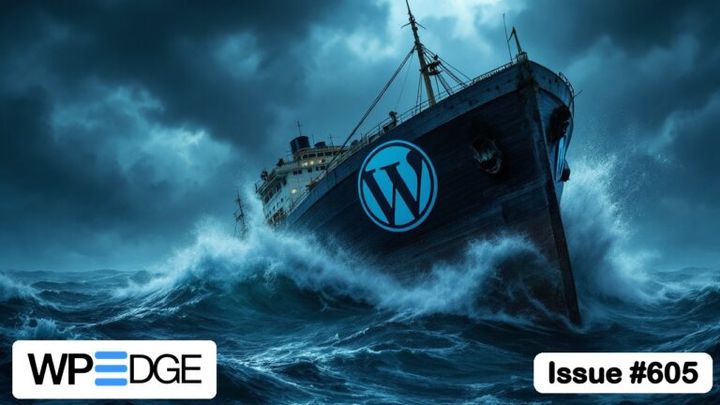
Is WordPress A Sinking Boat?
A long-time reader replied to last week’s issue with a really thoughtful note. Kind, too. But the gist of it was… David, when are you jumping off the WordPress wagon?
He framed it as a friend looking out for me. “The boat is sinking please make sure you have identified a rescue boat near you.” And he wondered if I fully understood the transformation our industry is going through.
Fair question, honestly. I’ve been in the WordPress world a long time. It’d be pretty easy for me to have a blind spot here. 🤷♂️
His point, in a nutshell: he builds software for a living, and he’s moving his clients off WordPress, and off as many SaaS subscriptions as he can. In his view, there’s no reason anymore not to have something fully custom. Sure, some people will keep using WordPress… “like some people still use Taxis instead of Uber.”
That email is a big part of why I wrote Is WordPress Dying Because of AI? last week, and made a video about it too. If you want the long version, it’s all there.
Here, I want to talk about one thing that email made me realize.
A lot depends on where you’re standing.
If you build software for a living, custom is cheap now. AI made it cheap. A custom dashboard, a custom CRM, a custom whatever… you can spin it up pretty quickly. For people with the technical chops, AI has made things much easier. In the past, I’ve equated it to using a power drill versus a screwdriver.
And he’s not wrong about where that’s headed. I think more and more people will stop learning software and bending themselves around it, and just have AI build the thing they actually want. I’m doing some of that myself. This very newsletter goes out through a custom plugin I had AI build for me.
But here’s the thing…
AI made building cheap. It didn’t make owning cheap.
Somebody has to maintain that custom thing. Patch it. Fix it when some API changes. Understand it well enough to change it six months from now. If you’re the developer who built it, no problem. If you’re the client? You just traded a software subscription for a developer dependency.
Now picture the people I actually work with. Solopreneurs running membership sites make up a large portion of them. Course creators. Coaches. A lot of them are still using AI as a fancy chat box (if at all). They’re not about to direct an AI agent through rebuilding their membership, CRM and checkout from scratch. Frankly, it would be dumb to even try to do that.
For them, a mature plugin like FluentCRM isn’t some SaaS subscription to get rid of. It’s a whole marketing automation platform, living on a site they own, built by a team that’s already worked through the edge cases. That’s the opposite of dependency.
The problem with a lot of AI-generated sites is that people end up going the opposite direction of digital sovereignty. They end up tapping into third-party services for stuff. And heck, 99% of those people wouldn’t have any ability to edit or change the website later if they don’t have AI to do it for them.
And about that taxi thing… what happens when the taxi gets the app?
Because that’s what’s going on. Just this past week, the WordPress AI team laid out a plan to make WordPress fully “agent-ready” by version 7.3. Connect your AI of choice, approve it, and it can work on your site. No developer required. WordPress isn’t standing still while everybody else gets AI. It’s turning into one of the best things to point your AI at.
So no, I don’t think the boat is sinking. It’s getting refitted while it’s still out on the water. Some passengers will hop off, mostly the simple sites that never needed WordPress anyway. And that’s fine.
I’m not on the WordPress wagon or the AI wagon. I’m on both. And that’s not being stubborn… that’s because WordPress is still (and will likely remain) the superior harness on which to build sites that do real work (not just sit there and look pretty)… and sites you actually own.
To that reader… thank you. Seriously. Emails like that are the best part of doing this newsletter. 🙏
The Inside Scoop
A couple of behind-the-scenes changes this past week that I’m pretty happy with…
The client docs have a new home. For a while now, my Concierge client documentation lived on a separate docs site. It worked. But it was one more thing off to the side, and keeping it updated was clunkier than it needed to be.
So I moved all of it right here onto Blog Marketing Academy. It now lives at blogmarketingacademy.com/kb, and clients can get to it straight from their account dashboard. (There’s a “Client Docs” tile.) It’s also linked from every client’s Basecamp project and from the account emails.
The nice part on my end? The knowledge base is just WordPress pages now. When something changes, I (or my AI) update the page, and it goes live in about a minute and a half. No separate system to babysit.
Client-specific documentation will now be housed directly in Basecamp… in the Docs & Files section. So, if I build something custom for your site, it will be documented in there so that you can always grab it.
Monthly reports are getting a lot better. Up to now, Concierge clients got the standard monthly report from my site management tool. It was fine. Kind of generic, though. A bunch of numbers and a list of updates that, frankly, I doubt anybody looked forward to reading.
So I built my own. Each client now gets a personal report every month, by email, with a PDF attached. It covers:
- How much traffic the site actually got (real visitors, not bot-inflated numbers)
- The work I did on the site that month
- A protection checklist… threats turned away, malware scans, and anything that needs attention
- How fast the site loads on mobile, and how it’s showing up in Google
- A heads-up if a domain renewal is coming up
- One practical idea for the site
AI helps write parts of it. But all the numbers are calculated ahead of time, and there’s a check that blocks the AI from quoting anything that isn’t in that data. Nothing made up. And for clients on the Pro and Platinum plans, there’s also a personal recommendation that I write myself. Not AI. Me.
Every report also gets saved in the client’s account, so you can go back and look at past months anytime.
Now that we’ve started a new month, clients will be receiving the first batch of monthly reports today or tomorrow. 😎
WordPress News & Updates
WordPress 7.1.4 is out. Update it. Another security release, with more than a dozen fixes this time… including a weakness in the upgrade process that could lead to remote code execution. It’s the seventh core security release since July, which works out to roughly one every two to three weeks. At this pace, “I’ll get to it this weekend” is starting to look a little brave. If you haven’t already, turn on automatic updates for these minor releases. (Concierge clients, I’ve got this covered.) The release notes.
PHP2Shell: a lot of noise, zero confirmed WordPress hacks. This one is a critical flaw in PHP itself (the language WordPress runs on), not in WordPress. Attackers have used it to break into firewalls, and Wordfence logged over 77,000 attempts against WordPress sites… but as of October 28, not a single confirmed compromise. The fix is a PHP update on your server, which is your host’s job, not yours. If you’re on a bargain-basement shared plan, it’s worth a quick email to ask if they’ve patched. SecurityWeek has the rundown.
FluentCRM 3.3 puts all your campaigns on one calendar. Email, SMS and WhatsApp campaigns, drafts and recurring ones included, all in one view. You can also turn open and click tracking off (or make it anonymous) per campaign, resend a campaign to a chosen group of recipients, and big automation sends finish a lot faster. In one test, a 283,000-contact send went from almost 7 hours to under 4. This is the CRM I use to send you this very newsletter. What’s new.
Your page builder can take orders from AI now. Breakdance 3.0 and Oxygen 6.2 both shipped on October 26 with MCP connections, so an AI agent like Claude can build pages, templates, headers and footers right inside the builder. Two days later, GeneratePress released GeneratePress AI, which does the same for GeneratePress and GenerateBlocks sites. Point-and-click isn’t dead, but it’s clearly no longer the only way in. More on connecting your AI to your site in the article below. Breakdance, Oxygen, and GeneratePress.
Most WordPress store owners have been hit. Most don’t have a plan. Melapress surveyed WordPress e-commerce site owners, and 75.5% had dealt with at least one security incident. Of those, nearly three quarters had been hit more than once. Downtime was the most common result. And only about a third had a breach recovery plan. It’s a small survey, but the takeaway is pretty straightforward… know where your backups are and how you’d restore them, before you need to. The full report.
Added a cookie banner and your traffic “dropped”? It probably didn’t. When visitors reject or ignore a consent banner, Google Analytics gets much less data about them (or none at all). So GA4 shows fewer visits even though the same number of people showed up. Before you panic over a chart, check whether a banner went up around the same time. (One more reason I prefer self-hosted, cookieless analytics.) The explanation.
GoDaddy’s AI site builder just doubled. GoDaddy says Airo, its AI website builder, passed a $100 million annual bookings run rate last quarter. That’s more than double the $50 million it reported three months earlier. That’s the bottom of the market I talked about up top… simple sites moving to AI builders. It’s happening, and it’s real money. GoDaddy’s Q3 results. Also, don’t use GoDaddy. They suck. 🤪
Sam Parr thinks WordPress themes are toast. The co-founder of The Hustle (and co-host of the My First Million podcast) posted that the theme and plugin space feels “totally f-ed,” and that theme businesses seem unnecessary now. But here’s the part that caught my eye… he’s still on WordPress. Claude just does all the work for him. Which is pretty much what I’ve been saying. Themes are where the real disruption is. WordPress itself? Still there, just with a different driver. His post (and the replies).
Your website needs a brain. Jono Alderson makes a sharp point about ditching your CMS for AI-generated pages. AI can rebuild what you can see just fine. What gets lost are the connections underneath… author records, linked URLs, the rules for how things get published. Lose those, and every change turns into what he calls “a permanent game of whack-a-mole.” It’s a nice companion to the first article this week. Worth the read.
WordPress on his laptop, static site for the world, $0 a month. Matt Cromwell rebuilt his marketing site so WordPress only runs on his own computer. He writes and designs in WordPress like always, has an AI agent build the pages, then exports a static copy with Simply Static and hosts it free on Cloudflare Pages. He went from $14 a month in hosting to nothing, and scored 100s on PageSpeed. The catch? Regular form plugins don’t work on a static site, so he had to build his own way to send sign-ups to his email provider. This is the “turn WordPress on only when you need it” idea I mentioned in last week’s blog post… and here’s what it looks like in practice. How he set it up. To be clear, I can’t say I recommend this approach to anybody. Seems like more of a geek having a bit of fun.
FluentAffiliate 1.7 makes paying affiliates a lot less tedious. Paying affiliates used to mean exporting, checking, paying each person one at a time, then marking them paid. Now the Pro version can pay everybody in one go through PayPal Payouts, and the statuses update on their own. There’s also a new holding period, so you’re not paying commission on an order that ends up refunded. The release notes (and my review of FluentAffiliate).
How To Connect Your AI To WordPress (No Geek Skills Required)
This past weekend, my wife got a cool domain name for her career and wanted to spin up a website on it. So I set one up for her. On my server, of course. Because that’s what husbands do. 😄
Now, she’s a ChatGPT person. Big time. She’ll put it in voice mode on her drive home from work and just… have a conversation with it. Research stuff. Talk things through.
So I figured, why not let her talk to her website the same way? It is SO much faster than having to point and click your way around WordPress. Plus, my wife isn’t techie. At all. 😇
It took me a couple of minutes to connect her ChatGPT to her WordPress site. Now she can chat with it. Have it draft articles. Change things. All from the same chat window she already lives in.
When I do this kind of work myself, I connect AI to sites through SSH (a direct connection into the server). But, SSH is kinda nerdy. You’d need to be using the developer side of your AI tool (like Codex, or Claude Code) to even use it. That’s just not where most people are at. But, the good thing is… it isn’t necessary for most people.
What you’re actually doing
Out of the box, ChatGPT or Claude knows a lot about WordPress. But it can’t touch your site. It’s on the outside looking in.
A connector fixes that. You put a plugin on your site, connect it to your AI tool, and approve the connection. Now your AI can actually do things on your site. Create posts, edit pages, look at your plugins, upload images… whatever the connector allows.
(For the curious, the plumbing behind this is called MCP. You don’t need to know anything about it to use it.)
The easy route: WPVibe
If you use ChatGPT, the simplest option is WPVibe. It’s a free plugin from the folks behind SeedProd (basically, Awesome Motive), and it’s sitting right inside ChatGPT’s app directory.
Install the plugin on your site. In ChatGPT, go to Settings, then Apps, and search for WPVibe. Connect it, approve it from your WordPress dashboard, and you’re in. It even works on the free ChatGPT plan. It works with Claude, too.
The more capable route: NovaMira
For my wife’s site, I used NovaMira, which I told you about a while back. It gives your AI much deeper access to the site, so it can handle a lot more. In ChatGPT, you add it as a custom connector, which needs a paid plan. In Claude, you can add a custom connector on any plan. My wife is on the $20/mo plan with ChatGPT, so she was fine.
It’s a little more setup. Still not hard. And honestly, if you’re on Claude, you’re probably already a step ahead. 😉
What to expect
These connectors are surprisingly capable. Most everyday stuff, you can just ask for.
Every so often, though, you’ll hit a wall. The AI will say it doesn’t have permission to do something, or it just won’t know how to do it through that connector. That’s normal. Ask it what it can do instead, and you’ll usually find a way around it.
A couple of common-sense rules, too:
- Have a backup before you start letting AI make changes. (You should anyway.)
- Have it create things as drafts first. Look before you publish.
- If your site is important, test bigger changes on a staging copy.
Now, just talk to it
Here’s where it gets fun…
Once your AI is connected, you can do most of this just by chatting. And if you pair that with a dictation tool like Wispr Flow, you don’t even have to type. You talk, it turns your words into text, and your AI does the work. My wife uses voice mode a lot… and can now even draft articles while driving as if she were just talking on the phone.
You literally talk your website into doing what you want.
Almost anybody reading this can do this. Heck, just last week, I had a call with a client who has REALLY realized the power of AI. But, he was still preparing things inside of WordPress manually. I was telling him on our call that he could remove a major source of friction in his daily work by just connecting his AI straight to WordPress.
If you’ve been using AI as a fancy chat box, this is the step that turns it into an assistant that actually does things on your site. And it’s a lot less technical than you’d think. You don’t need to ask AI how to do things in WordPress… or sit there and copy/paste text from your AI chat into WordPress. Just connect it directly… and have it DO the work.