

So, I’m going to start off with a quick confession here…. because I think last week, my topic for the newsletter fell a little flat. 🥴
I discussed the in’s and out’s of making AI content feel more like yourself. And I thought it was an interesting topic. But…
The open rate was lower than normal. My unsubscribe rate from that issue spiked higher than normal. And I even got a nastygram from a subscriber. 😳
And so, memo received. 😜
I’ll find the right balance here. And I’d love to hear your feedback as well (just hit reply and let me know what you’d like to see). But, no worries…. I won’t turn this into a newsletter about AI. 😇
But, you know… the best way to make sure this newsletter is as useful as possible to you every week…. is for you to tell me exactly what you’d find most valuable. So, hit that reply button…. and let me know. A lot of time goes into this newsletter every week. And my goal is that it is something you look forward to… not something you dismiss in the sea of stuff you likely get in your inbox.
OK, let’s dive straight in! This week, some adjustments to the format… and a look at FluentCRM 3.0.
FEATURE ARTICLE
Getting Ahead By Letting Go
I’ve been deleting a lot of stuff lately.
Not by accident. On purpose. Like, aggressively on purpose.
It is a little freeing, actually. Like giving my site a “spring cleaning”.
The content audit I’ve been running on the Blog Marketing Academy site has involved going through years of old posts and either nuking them entirely or rewriting them from scratch. We’re talking hundreds of posts. Gone. And the thing that keeps getting me is…
Traffic is going up. Not down. Up. It isn’t up like a rocket ship or anything, but the trend is obvious. As I delete content from my site, I get more traffic.
Which is a little counterintuitive, right? More should be more. Except it isn’t. All those old, thin, outdated posts were dragging the whole site down. Getting rid of them lifts the floor for everything else.
And it got me thinking about how this principle applies pretty much everywhere in the business.
A CLIENT CONVERSATION
I have been working with this one client for awhile now. And when she reads this, she’s going to totally know I’m talking about her. 🤣 But, it’s OK.
See… her site has grown a lot. Not necessarily in terms of sales, but in terms of SIZE. In fact, it has grown to the point that I can firmly say I would call the site a frankenstein site.
READ: Have You Created A WordPress Frankenstein Site That Breaks All The Time?
Basically, she’s made a lot of offers over the years. Tried a lot of things. Juggled things around. She’s in there messin’ with pages, editing FluentCRM automations, and basically… changing things. And this is all happening in a “fly by the seat of your pants” kind of way. No documentation. No method. Just… fixin’ things as they happen. And not always correctly.
I am now in a midst of a full audit of this site. Cleaning up pages, finding ways to simplify, and trying like hell to remove moving parts. She’s totally onboard… because she knows it needs to happen.
But, there was this matter of past promises. Keeping certain things alive and active because she had promised to do so. And then, you feel tied to keeping it alive.
And I get it. That feeling is real. There’s something uncomfortable about the idea of going back on your word, even when the “word” was given years ago to an audience that’s mostly moved on.
But here’s what I told her: sometimes moving forward means leaving things behind. Sometimes you need to know when to kill something.
Staying loyal to promises you made in a completely different chapter of your business can actually be a thing holding you back from building something better.
That’s not bad faith. That’s growth.
MY OWN HISTORY OF LETTING STUFF GO
I’ve done this more times than I can count.
I used to have a membership called The Lab. Many of you likely remember that. Some of you were likely members. 🙏 My site also used to have full community forums. For awhile there, I had built a FluentCommunity portal to use as my “Client Center”.
It’s all gone now.
Not because it failed. But because it no longer fit where I was going. Maintaining a forum takes real energy that didn’t fit my own life goals. Having a business model based on online courses and showing people how to build online businesses from scratch… was something I didn’t want to do anymore.
So, whether it be old blog posts that no longer fit the strategy… or site features that are too much work to maintain… or even an entire business model that simply doesn’t fit what I want to do anymore…
Sometimes, just hitting the kill switch is exactly the right thing to do. So that something new can germinate and grow.
THE POWER OF SIMPLICITY
This is literally one of my core principles – right on my about page. And I believe it wholeheartedly.
I believe complexity is a symptom of a system breakdown. When things have gotten overly complicated, it is best to re-evaluate your assumptions.
Having a crap-ton of blog posts in your archives makes it a ton of work (if not just impossible) to maintain them. So, things go stale and you start to look stupid in the eyes of Google.
Hanging onto old site features just because you think it makes your site look cool… makes a site that is hard to maintain and is more likely to break.
Hanging onto a ton of automations means you lose track of what’s happening with your leads. Hanging onto a ton of old emails on your list just because you think “bigger is better” actually means your open rates drop because you’re sending out to people who aren’t paying any attention.
Across the board… there is true power in simplicity. Lean and mean. Making a site that does a few core things, but does those things well. Not trying to satisfy everybody.
There’s a quiet pressure that builds up over time when you have too much “stuff” — too many pages, too many old posts, too many legacy features, too many funnels and automations. It all adds weight.
Every piece of it is something you technically have to think about. Something you might feel guilty about not updating. Something that makes your site harder to navigate, your business harder to explain, your message harder to land.
The content audit has taught me that what you remove matters just as much as what you publish. Possibly more. The same thing is true for your business structure, your offers, your old community features, whatever it is you’ve been meaning to “get back to” for three years.
Sometimes the most strategic move is to just… delete it. Close it. Archive it.
And then build forward from what actually matters now.
The Inside Scoop
Always playin’. Always experiementing. And so… I’m going to turn what is usually a call to action for Concierge into a new section of this newsletter…
The Inside Scoop. And the focus here will be stuff going on with the Blog Marketing Academy itself – and new stuff I’m up to. New announcements, new tools, things I’m working on. Perhaps a little more interesting than me pitching the same thing to you every week, no? 😜
So, here’s a few things new this week…
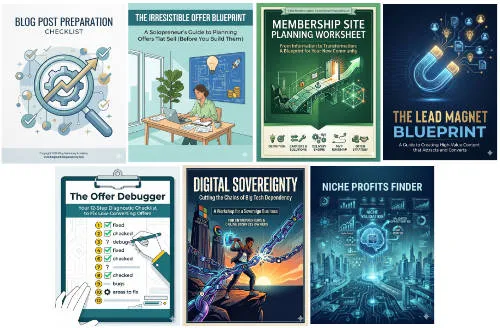
- The Solopreneur Toolkit got a facelift. And some massive tool updates. Remember the old Niche Profits Finder PDF? Been around for years. Was quite popular. But, seriously outdated. Well, it has now been turned into an automated tool. For people still in the early phases and still figuring out their niche, the brand new Niche Profits Finder tool offers AI-powered automated market research, validation and gap analysis..
- The Voice Profile Tool. I mentioned this last week, but Concierge clients now have access to a Voice Profile tool in their account. Help AI “write” more accurately in your own voice.
- New BMA Notification system. I was using Beamer for on-site notifications. But, I built my own “in house” version, so now the “What’s New” navigation item at the top of the site will show you what’s new across the site.
I’ve also really gotten into Obsidian. It’s funny… this is a tool I’ve known about for some time. Tried it before. But, it never really “clicked” with me. Felt like an overly nerdy version of Apple Notes or something.
But, my increasing usage of Claude got me to take a look at it again. And I’m tellin’ you…. Claude Code + Obsidian as a “second brain” is one HELL of a powerful combo! 😎
WordPress News & Updates
REAL-TIME COLLABORATION CUT FROM WORDPRESS 7.0 The headline feature of the upcoming WordPress 7.0 release has been pulled just days before the scheduled May 20 launch. Mullenweg cited ongoing bugs, race conditions, and server load concerns — and also pointed to the WP Engine lawsuit as a drain on the key contributors working on it. WordPress 7.0 still ships May 20, just without the Google Docs-style collaborative editing everyone was expecting. Full story at The Repository
WP ENGINE ACCUSES MULLENWEG’S PERSONAL COMPANIES OF STONEWALLING DISCOVERY The lawsuit keeps getting messier. WP Engine has accused Mullenweg’s personal Audrey entities of producing zero documents in response to subpoenas served seven months ago, and raised spoliation concerns over files belonging to WordPress.org contributor “Otto” Wood. The fact discovery window is closing. More at The Repository
BREEZE CACHE VULNERABILITY BEING ACTIVELY EXPLOITED — UPDATE NOW A critical file upload vulnerability in the Cloudways Breeze Cache plugin (400,000+ installs) is being actively exploited in the wild. Unauthenticated attackers can upload PHP backdoors and potentially take over a site entirely. The flaw is only exploitable if the “Host Files Locally – Gravatars” option is enabled, but Wordfence has already blocked over 30,000 exploit attempts. Update to version 2.4.5 immediately. Details at Wordfence
GUTENBERG 23.1 ADDS NATIVE CUSTOM POST TYPE CREATION For years, creating custom post types required a plugin or hand-coding. Gutenberg 23.1 has shipped an experimental native UI for creating CPTs directly inside WordPress — no plugin needed. Not everyone in the community is thrilled about it landing in core, but it’s coming. You can already experiment with it by enabling the beta feature in the latest Gutenberg version. More at The Repository
GRAVITYKIT NOW CRYPTOGRAPHICALLY SIGNS ALL PLUGIN UPDATES In response to the recent wave of supply chain attacks, GravityKit has started signing all its plugin updates using Ed25519 cryptography, automatically blocking tampered packages before they unpack. They claim to be the first commercial WordPress plugin vendor to implement this — and no configuration is required from site owners. Read the details on their website.
WOOCOMMERCE 10.7 CUTS DATABASE QUERIES ON ORDER MANAGEMENT PAGE BY 51% WooCommerce 10.7 dropped a meaningful performance update: the order management page now runs 132 database queries instead of 271 — a 51% reduction. The release also adds a fulfillment API for custom shipping providers with tracking links in customer emails. Full details at WooCommerce
FLUENTCART 1.3.26: SQUARE PAYMENT GATEWAY IS HERE FluentCart now supports Square as a payment gateway — available as a one-click addon install. Covers one-time payments, full subscription lifecycle, and refunds. Six currencies at launch. Full changelog at FluentCart
FLUENTCART 1.3.27: LICENSING GETS A PROPER SITES VIEW Hot on the heels of 1.3.26, FluentCart shipped 1.3.27 — adding a top-level Sites view inside the licensing module so you can see at a glance where every license is actually running. Subscription reactivations now also properly fire the full customer journey (CRM tags, emails, license access). Full changelog at FluentCart
ROCKET.NET LAUNCHES FULL MCP INTEGRATION Rocket.net now lets you manage your hosted WordPress sites directly from Claude, ChatGPT, and other AI assistants using natural language — everything from spinning up new sites to running WP-CLI commands to bulk plugin updates. Available to all customers at no extra cost. Full details at Rocket.net
CURATED LIST OF WORDPRESS AI TOOLS Lax Mariappan has published an open GitHub list cataloging WordPress AI tools across 17 categories — everything from the Abilities API to MCP servers, AI providers, and hosting integrations. If you’re trying to wrap your head around where AI and WordPress intersect right now, this is a useful reference. Check it out at awesome-wp-ai on GitHub
TECH FOCUS
Quick Look At FluentCRM 3.0
Word is that FluentCRM 3.0 is coming out this week. It has been out in beta for a little while now… and going through the release candidate phase. But, now I’m at a point where I feel confident enough to upgrade my main site. And so…
This very newsletter this week is coming at you from FluentCRM 3.0. In fact, you may notice a few visual tweaks.
Now, I’m going to record a video about this release shortly, but here’s a few things to look forward to…
First, the interface has been completely modernized. It takes on the same design language as FluentCart. Very modern. Many improvements. Looks much nicer, I will say. So much more professional and polished. Much faster as well, seeing as the whole thing has been re-factored to use Vue 3, a modern javascript framework to make it feel almost as responsive as a desktop app.
But, it goes way past just the look and feel of the interface. New functionality includes:
- SMS text message marketing (as an add-on function)
- Gutenberg email editor. This is a very welcome change, in my opinion. Now, editing your emails will feel very similar to editing pages and blog posts. You obviously don’t have every block available (because, email is inherently different than a webpage), but I feel instantly at home. It is also just easier to design emails the way you want. And also…
- Patterns. The Gutenberg editor has patterns for pre-built sections you can re-use over and over again. And now that FluentCRM 3.0 uses Gutenberg, you have patterns here, too. This will be a major time-saver.
- Improved automation reporting.
- Ability to manually advance a contact in an automation.
- Privacy-friendly email tracking for opens/clicks. Can keep it the normal way, anonymize it completely, or disable altogether.
- Built-in AI enhancement to your email writing. Get AI help in writing your emails… right from within FluentCRM. Connect up to OpenAI, Anthropic or Gemini. Feed it a custom prompt (kind of like project instructions). And you have your own writing assistant.
- Bounce handler support for toSend. I know many of you don’t know about this yet, but I’ll be telling you about it soon.
And I didn’t know this, but I’ve been told that FluentCRM 3.0 will also have it’s own MCP server, meaning you can connect your favorite AI tools to it to perform operations quickly and easily.
Also, apparently there will be AI contact summaries. Assumedly in the contact profile screen, it will use AI to summarize that contact. That’ll be interesting to see.
Overall, this is a major step forward for FluentCRM. And since this is most definitely my primary recommendation for pretty much everybody who wants to run their email list… I’m very happy to see it.
Coming very soon, apparently! As well as my video talking all about it.